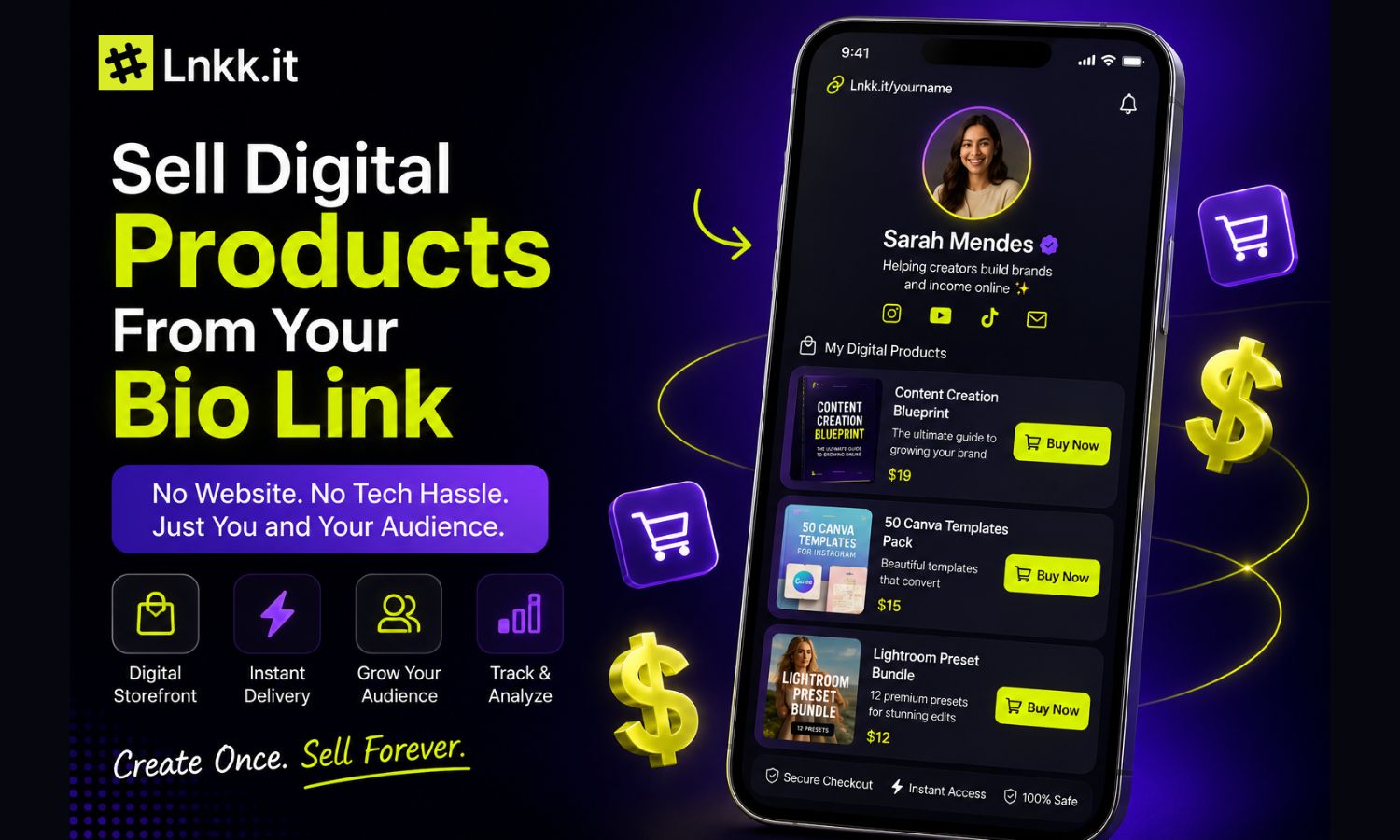
Sell 1:1 Coaching & Bookings Directly from Your Bio Link — No Calendly, No Zoom, No Code
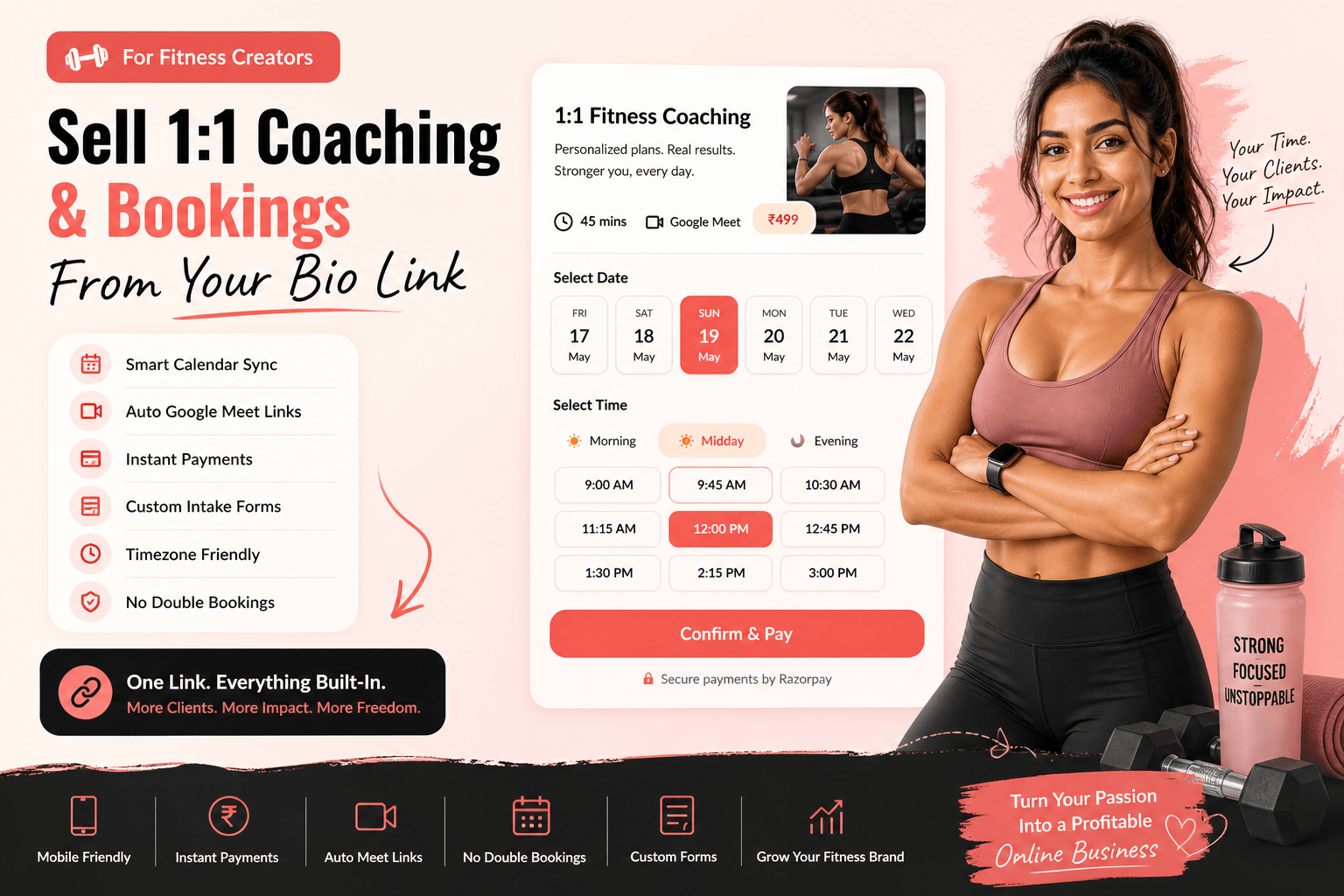
Sell 1:1 Coaching & Bookings Directly from Your Bio Link
If you're a coach, consultant, tutor, or creator who sells their time — you've probably duct-taped together Calendly + Zoom + Stripe + a landing page just to let someone book a 30-minute call.
That stops today.
With Lnkk.it's Creator Store, you can sell paid 1:1 coaching sessions, strategy calls, discovery calls, and mentoring — directly from your bio link. No third-party tools. No monthly subscriptions. No code.
The Problem: Too Many Tools, Too Much Friction
Here's what most coaches and consultants deal with:
Calendly for scheduling ($8–16/mo)
Zoom for video calls ($13/mo)
Stripe or Razorpay for payments (separate setup)
Google Forms for intake questions
A landing page builder to tie it all together
That's 4–5 tools, $30+ per month, and hours of setup — just to let a client book a call.
Your client's journey looks like: click bio link → go to landing page → click "Book" → redirect to Calendly → pick a time → redirect to Stripe → pay → get a Zoom link via email.
Too many steps. Too many drop-offs.
The Solution: One Link. Everything Built In.
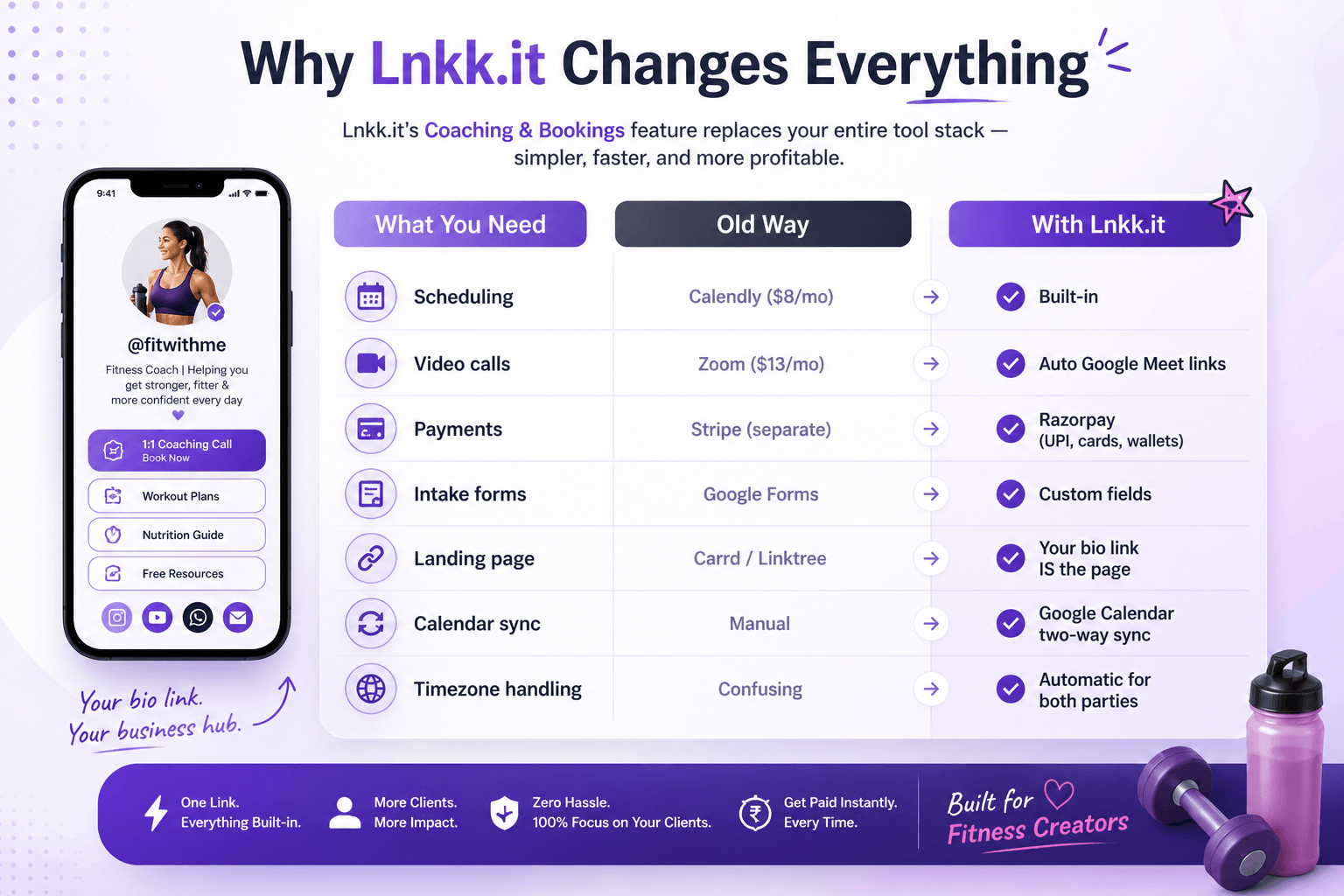
Lnkk.it's Coaching & Bookings feature replaces the entire stack:
What you need | Old way | With Lnkk.it
Scheduling Calendly | ($8/mo) | ✅ Built in
Video calls | Zoom ($13/mo) | ✅ Auto Google Meet links
Payments | Stripe (separate) | ✅ Razorpay (UPI, cards, wallets)
Intake forms | Google Forms | ✅ Custom fields
Landing page | Carrd / Linktree | ✅ Your bio link IS the page
Calendar sync | Manual | ✅ Google Calendar two-way sync
Timezone handling | Confusing | ✅ Automatic for both parties
One link. One tool. Zero monthly fees on the free plan.
How It Works — 4 Steps, Under 2 Minutes
Step 1: Create Your Booking Product
Go to your Creator Store → New Product → Coaching/Booking. Fill in:
Title — e.g., "1:1 Strategy Call" or "Fitness Coaching Session"
Description — What the client gets, what you'll cover
Duration — 15, 30, 45, or 60 minutes
Price — Set in INR (or any supported currency). Free discovery calls? Set price to ₹0.
Cover image — Make it look professional
You can also add custom intake fields — text, dropdowns, file uploads — so clients share their goals, questions, or documents before the session.
Step 2: Connect Google Calendar
One click. OAuth popup. Done.
Once connected, Lnkk.it:
Pulls your existing events in real time
Blocks busy slots so clients only see when you're actually free
Pushes new bookings back to your calendar automatically
Creates a Google Meet link for every confirmed session
No double-bookings. Ever.
Step 3: Set Your Availability & Buffers
Configure:
Working days — e.g., Monday to Friday
Working hours — e.g., 9:00 AM to 5:00 PM
Buffer time — 15 minutes between sessions (so you're not back-to-back)
Max advance booking — e.g., clients can book up to 7 days ahead
Minimum notice — e.g., at least 4 hours before a session
This ensures you're never overbooked and always have time to prepare.
Step 4: Share Your Link & Get Paid
Your booking page is live at lnkk.it/yourhandle/p/your-product. Share it:
In your Instagram bio
On your Twitter/X profile
In WhatsApp status
On your YouTube channel description
Via direct messages to potential clients
When someone clicks:
They see your product page with pricing, description, and reviews
They pick a date from the horizontal date strip (only available dates shown)
They choose a time slot filtered by Morning / Midday / Evening
They fill in their details and pay via Razorpay (UPI, cards, wallets, net banking)
They instantly get a Google Meet link and calendar invite
You get paid. They get the call. Zero manual work.
What Your Clients See — The Booking Experience
Date Selection
No more clunky monthly calendars. Clients see a clean horizontal date strip showing only the days you're available — weekdays, with past dates and off-days automatically hidden.
Time Slots
After picking a date, time slots appear in a 4-column grid grouped by time of day:
☀️ Morning — 9:00 AM to 12:00 PM
🌤️ Midday — 12:00 PM to 5:00 PM
🌙 Evening — 5:00 PM to 9:00 PM
Slots that conflict with your Google Calendar events are automatically removed.
Timezone Intelligence
Your clients see slots in their timezone. You see bookings in yours. A dropdown lets them switch timezones if needed. No confusion. No "wait, is that IST or EST?" emails.
Confirm & Pay
One tap on "Confirm details" → fill in name, email, phone, and custom fields → pay via Razorpay → done. The entire flow takes under 60 seconds.
Features That Set This Apart
🗓️ Google Calendar Sync
Real-time, two-way sync. Your existing meetings block slots automatically. New bookings appear in your calendar with the client's details and a Google Meet link.
📹 Auto Google Meet Links
Every confirmed booking gets a unique Google Meet link — created automatically. No need to manually generate links or send them over email.
🌍 Automatic Timezone Handling
Clients in New York see EST. Clients in Mumbai see IST. You see everything in your timezone. No manual conversion needed.
💳 Instant Payments via Razorpay
UPI, credit/debit cards, wallets, net banking — all supported. Money hits your bank account in 2–7 business days. You can also offer free sessions for discovery calls.
⏱️ Buffer Time Between Sessions
Set a 15 or 30-minute buffer so you're never rushed. The system automatically adds padding between consecutive bookings.
🏷️ Discount Coupons
Create promo codes for launches, collaborations, or seasonal offers. Percentage or flat discounts — your choice.
📝 Custom Intake Fields
Add text fields, dropdowns, file uploads, checkboxes — so clients share their goals, questions, or documents before the call. No more "so what did you want to discuss?"
📧 Automatic Notifications
Both you and your client get:
Booking confirmation email with all details
Google Calendar invite with Meet link
Reminder 30 minutes before the session
🔒 Secure & Reliable
SSL encryption, Razorpay PCI-DSS compliance, 99.9% uptime. Your clients' data and payments are safe.
Who Is This For?
🏋️ Fitness Coaches & Trainers
Sell 1:1 workout coaching calls, diet consultation sessions, and body transformation packages. Clients pick a slot, pay, and show up on Google Meet. No DM back-and-forth.
💼 Business Consultants
Offer strategy calls, brand audits, marketing reviews, and startup mentoring. Run a free 15-min discovery call, then upsell to a paid 60-min deep dive.
🎓 Online Tutors & Educators
IELTS prep, math tutoring, coding mentorship, music lessons — whatever you teach. Students book and pay from your bio link. Auto Meet links mean zero setup per session.
💆 Therapists & Wellness Experts
Counseling sessions, yoga 1:1s, relationship coaching, sleep therapy — clients book confidentially. Calendar sync prevents double-bookings.
🔮 Astrologers & Tarot Readers
Birth chart readings, kundli matching, compatibility analysis. Set your availability, let clients pick their slot, and get paid upfront.
📈 Freelancers & Agencies
Discovery calls, project briefs, design reviews, content strategy sessions. Turn your Instagram profile into a lead generation machine.
💰 Financial Advisors
Investment planning, tax consultations, portfolio reviews. Charge for your expertise instead of giving free advice in DMs.
🎓 College Admission Mentors
Essay reviews, university shortlisting, interview prep. Students book and pay in one click.
Pricing
PlanPriceWhat You GetFree₹0/mo Basic bio link + store (5% seller fee)
Creator Pro₹499/mo Full booking engine, Google Calendar sync, payments, analytics (3% seller fee)
Creator Plus₹1,999/mo Everything in Pro + 0% seller fees, unlimited automations, priority support
All plans come with a 7-day money-back guarantee. No contracts. Cancel anytime.
Frequently Asked Questions
Do I need a Calendly or Zoom account?
No. Lnkk.it has its own booking engine. When you connect your Google account, we automatically create Google Meet links. You don't need Calendly, Acuity, Zoom, or any third-party tool.
How does Google Calendar sync work?
Once you connect your Google account, Lnkk.it pulls your existing events in real time. Clients only see free slots. Every confirmed booking gets added to your calendar with a Meet link.
Can I charge for sessions?
Yes. Set any price. Payments are collected upfront via Razorpay — UPI, cards, wallets, net banking. You can also offer free discovery calls.
What about timezones?
Completely automatic. Clients see slots in their timezone. You see yours. Zero confusion.
Can I offer multiple session types?
Yes. Create as many booking products as you want — 15-min intro, 30-min strategy, 60-min deep dive, monthly packages. Each with its own duration, price, and availability.
What if I need to reschedule?
Both parties get email confirmations with links to reschedule or cancel. Changes sync automatically to Google Calendar.
Get Started in 30 Seconds
Sign up free at lnkk.it
Go to Store → New Product → Coaching
Set your title, duration, price
Connect Google Calendar
Share your link
Your first booking is 2 minutes away.
No credit card required. No monthly fees on the free plan. No code needed.
Lnkk.it is the all-in-one bio link platform for creators — with a built-in store, booking engine, analytics, and more. Join thousands of coaches, consultants, and creators already selling their time on Lnkk.it.
YOU MAY ALSO LIKE
How to Create and Sell Online Courses on Lnkk.it: The Complete Guide
Build a full course with modules, quizzes, and certificates, then enroll students directly from your bio page — no separate LMS required.