Free Link Shortener for Creators: How to Shorten, Brand & Track Your Links in 2026

Every link you share on Instagram, TikTok, LinkedIn, or in an email newsletter tells your audience something about you before they even click it.
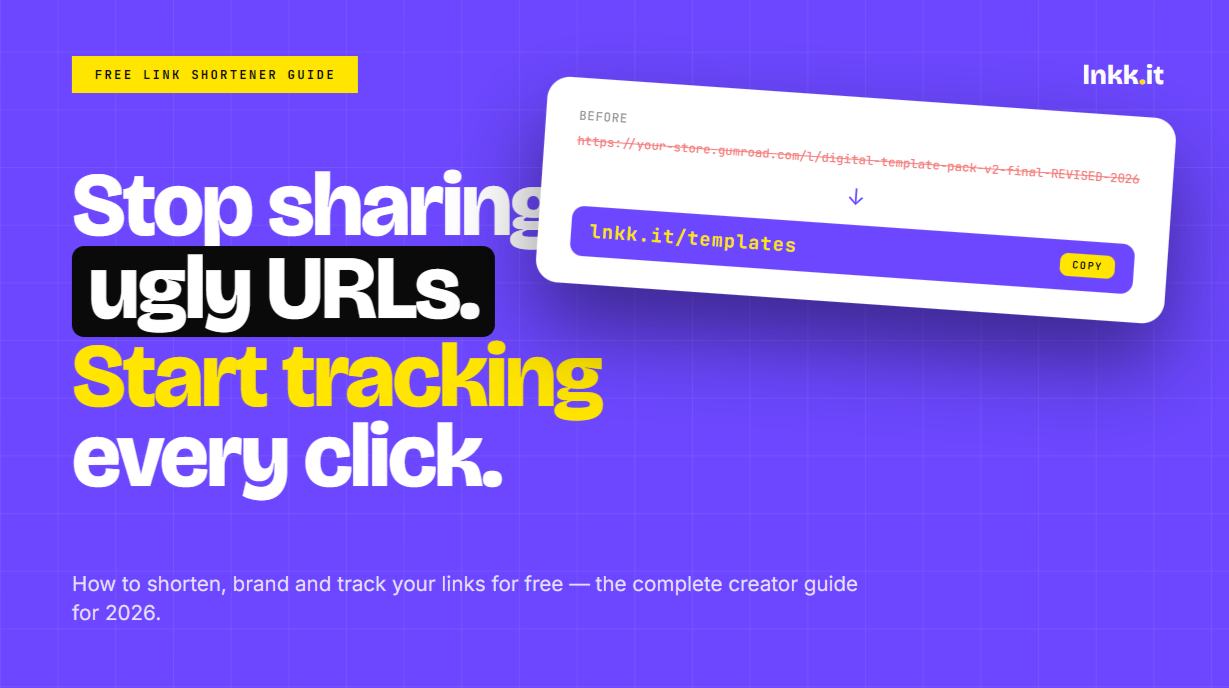
A raw URL — https://your-store.gumroad.com/l/digital-template-pack-v2-final-REVISED — says: this creator is not thinking about their audience's experience.
A short, clean, branded link — lnkk.it/templates — says: this creator is intentional, professional, and easy to work with.
That difference is a link shortener. And in 2026, it's one of the simplest upgrades a creator or business can make to look more professional, track what's actually working, and give their audience a frictionless path to wherever they're going.
This guide covers everything you need to know about link shorteners — what they do, why creators use them, what to look for in a free one, and how to get started in under two minutes.
What Is a Link Shortener?
A link shortener is a tool that takes a long URL and converts it into a shorter, cleaner version that redirects to the original destination.
Instead of sharing: https://www.notion.so/myworkspace/Content-Calendar-Template-2026-abc123def456
You share: lnkk.it/calendar
Both links go to the same place. The second one is easier to type, easier to remember, and looks significantly better in your bio, your captions, and your email campaigns.
Behind the scenes, the link shortener stores the mapping between the short URL and the destination, then redirects anyone who clicks the short link to the full URL — instantly, invisibly, and reliably.
Why Creators Use Link Shorteners (It's Not Just About Length)
Most people assume link shorteners exist purely to make URLs shorter. That's the surface-level use case. The deeper reasons creators use them are more interesting.
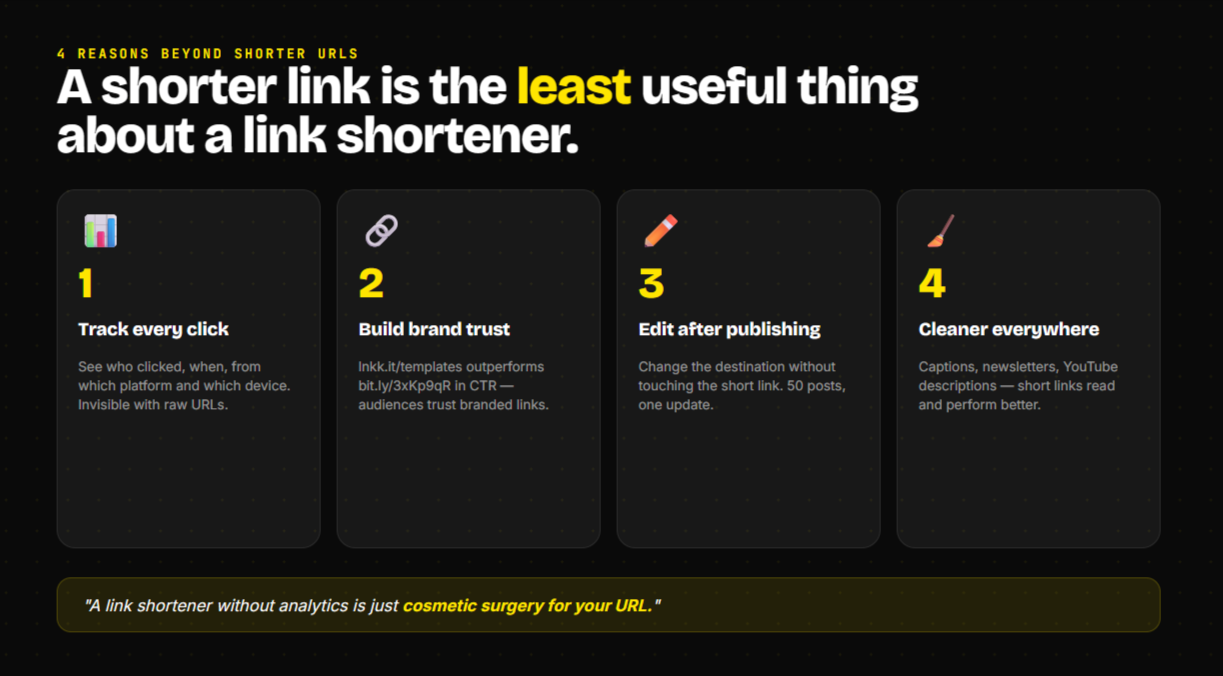
1. Tracking and analytics
Every click on a shortened link can be tracked. With a good link shortener, you can see:
How many people clicked a specific link
When they clicked (what time of day, which day of the week)
Where they came from (Instagram, TikTok, email, direct)
What device they used (mobile vs desktop)
This data is invisible when you share a raw URL. A link shortener turns every link you share into a data point.
For a creator managing multiple platforms, this is genuinely transformative. Instead of guessing which post drove the most traffic to your store, you know. Instead of wondering whether your email newsletter is outperforming your Instagram bio, you can see the numbers.
2. Branded links build trust
When a link starts with your domain — yourname.it/offer or lnkk.it/yourname — it signals that you built the infrastructure. It's not a random Bitly link or a generic shortened URL that looks like spam.
Branded links consistently get higher CTRs than generic shortened links because audiences trust them more. They can see who the link belongs to before they click.
3. Easy updates without changing the link
Imagine you share a link in 50 Instagram posts over six months. Then the destination URL changes — you moved your store, rebranded your website, or your Gumroad product URL updated.
With a direct raw URL in all 50 posts: you can't update any of them. Anyone who clicks an old post gets a broken link.
With a link shortener: you update the destination in one place. All 50 short links instantly redirect to the new URL. None of the posts need to change.
For creators with a back catalog of content still driving traffic, this is one of the most practical benefits of using a link shortener — links that can be edited after they've been published.
4. Cleaner bio links, captions, and newsletters
Raw URLs in Instagram captions can't be clicked anyway (Instagram doesn't make links in captions tappable). But they still clutter the visual of your post. A short, memorable URL in a caption — "grab it at lnkk.it/guide" — reads cleanly, is easy to type, and looks intentional.
In email newsletters, long raw URLs sometimes break across lines or get flagged by spam filters. Shortened URLs look cleaner and keep your email formatting intact.
What to Look for in a Free Link Shortener
Not all link shorteners are equal. Here's what separates a genuinely useful free link shortener from one that creates more problems than it solves.
Custom slugs (not random characters)
The difference between lnkk.it/templates and bit.ly/3xKp9qR is enormous for creator use cases. You want to choose the short part of the URL yourself so it's memorable, brandable, and reflects what the link leads to.
Most basic free tools only give you randomly generated short codes. Look for tools that let you set custom slugs — the part after the slash.
Click analytics included on the free plan
Many link shorteners lock analytics behind a paid tier. For creators, analytics are the whole point. Make sure the free plan you choose includes basic click tracking — total clicks, referral sources, and time-based data.
No expiration
Some free link shorteners expire links after 30 or 90 days. If you share a link in a post that'll get traffic for years, expiring links create broken experiences for your audience and hurt your credibility.
Look for a tool that doesn't expire links on the free plan.
Custom domain support
This is usually a paid feature, but worth knowing about. Custom domain support means instead of lnkk.it/yourname you can use yourdomain.com/guide. If you have your own domain and want fully branded short links, this is the feature to look for.
No forced ads or intermediary pages
Some free link shorteners show an advertisement page before redirecting to the destination — the "you're being redirected" splash screen. This destroys the user experience and significantly reduces click-through rates. Avoid these entirely.
How to Shorten a URL for Free (Step by Step)
Using Lnkk.it's free link shortener at lnkk.it/tools/link-shortener, here's the complete process:
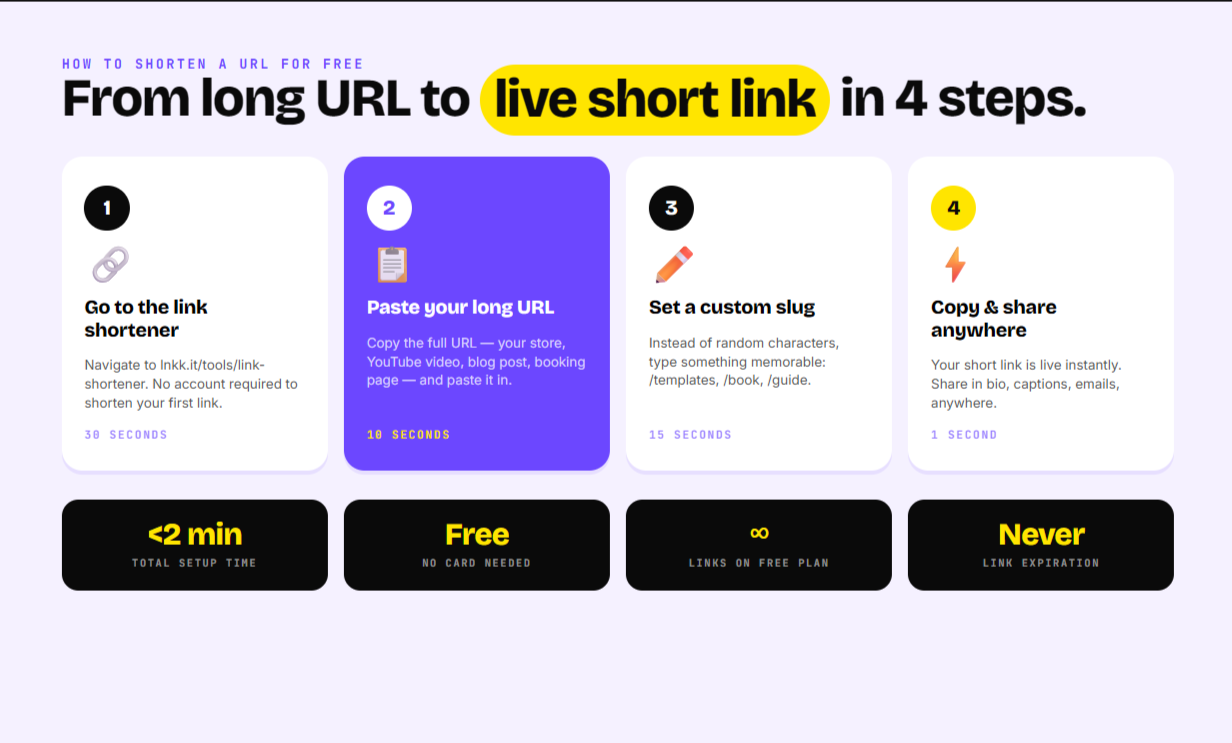
Step 1 — Go to the link shortener
Navigate to lnkk.it/tools/link-shortener. No account required to shorten your first link.
Step 2 — Paste your long URL
Copy the full URL you want to shorten — your store page, your YouTube video, your latest blog post, your booking link — and paste it into the input field.
Step 3 — Set a custom slug (optional but recommended)
Instead of accepting the randomly generated short code, type something memorable. For a template pack, try /templates. For a coaching call booking page, try /book. For your latest YouTube video, try /new-video.
Step 4 — Click "Shorten Link"
Your short URL is generated instantly. Copy it and share it anywhere — Instagram bio, TikTok captions, email newsletters, LinkedIn posts, YouTube descriptions.
Step 5 — Track your clicks
Create a free account to unlock click analytics for all your shortened links. You'll see total clicks, click sources, and time-based data for every link you've created.
The Creator-Specific Use Cases That Make Link Shorteners Essential
Generic link shortener guides focus on "make your URL shorter." Here are the use cases that actually matter for creators:
Instagram bio link rotation
Instagram gives you one bio link. Most creators use it to point to their most important current destination — a product launch, a new piece of content, a lead magnet.
With a shortened link in your bio, you can update the destination whenever your priority changes — new launch, new content, new promotion — without touching the bio itself.
Better still: use a bio link tool (like Lnkk's main platform) that lets you have multiple links on one page, with each individual link tracked separately.
Instagram caption CTAs
"Grab it at lnkk.it/guide" reads infinitely better than "link in bio" with no further instruction. Even though the link isn't tappable in captions, giving a short, memorable URL creates a clear path and sets expectations.
Followers who genuinely want what you're offering will remember a short URL or type it in — especially if you've trained them to expect clean, easy-to-access links from you.
Email newsletters
Link tracking in email campaigns usually requires an email marketing platform (Mailchimp, ConvertKit) that wraps your URLs in tracking codes. The resulting URLs are long and ugly.
If you're sharing raw links in emails instead, a shortened URL with built-in analytics gives you the same tracking data without requiring a dedicated email marketing setup.
YouTube video descriptions
YouTube descriptions are text, not hyperlinks — readers see the full URL. A clean, branded short URL in a description is significantly more click-worthy than a raw URL with tracking parameters attached.
TikTok and other platforms with link restrictions
TikTok only allows one link in the bio for verified accounts, and limits how links appear in other placements. A shortened URL that clearly communicates the destination ("lnkk.it/discount") performs better than a generic external link label.
Affiliate and partnership tracking
If you're running multiple affiliate partnerships, a separate shortened link for each — /partner-a vs /partner-b — lets you track which partnership is driving more clicks without needing a dedicated affiliate tracking platform.
Free vs Paid Link Shorteners: What Actually Matters
For most creators, a free link shortener covers everything. Here's the honest breakdown of what you get at each tier.
Free plan (most tools including Lnkk.it):
Shorten unlimited links
Custom slugs
Basic click analytics (total clicks, referral sources)
No link expiration
No ads or redirect pages
Paid plan upgrades typically add:
Custom domain (your own domain.com instead of lnkk.it)
Advanced analytics (geographic data, device breakdown, click timeline)
Team access and collaboration
Branded QR codes
API access for automated link creation
For a solo creator or small business, the free plan covers every practical use case. Custom domain support is the most common reason to consider a paid upgrade.
Link Shorteners as Part of a Wider Creator Stack
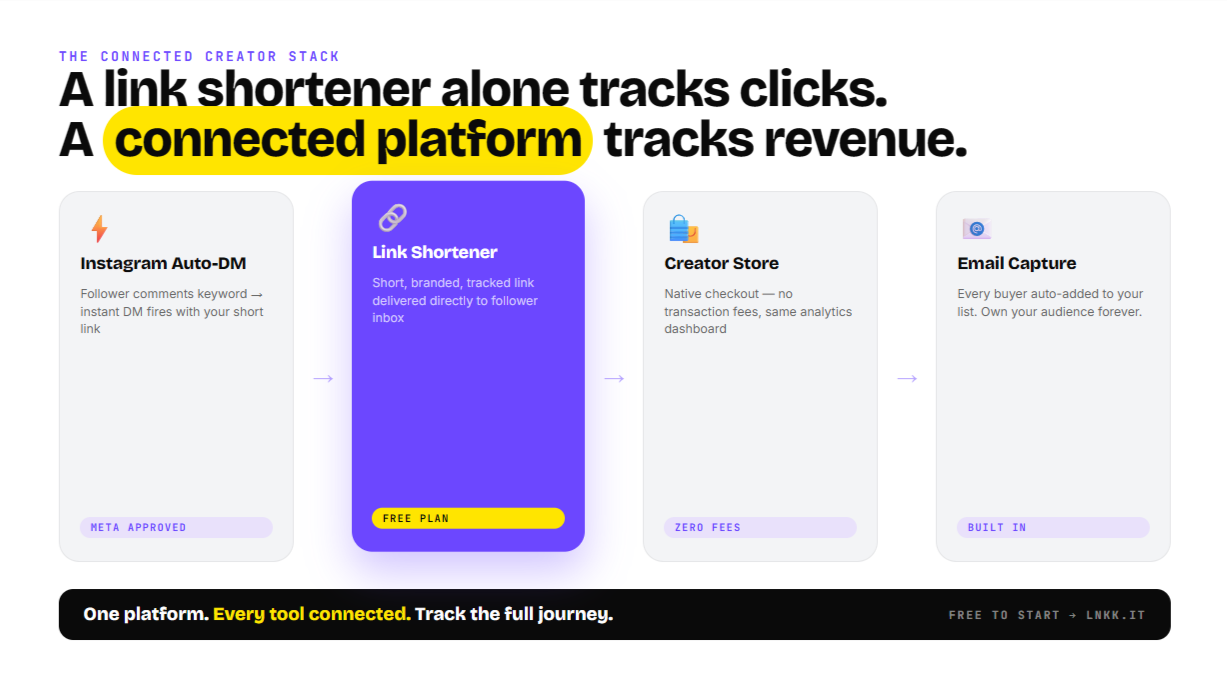
Here's something most link shortener guides don't cover: for creators, a standalone link shortener is less useful than a link shortener that's part of an integrated creator platform.
Think about the full workflow:
You shorten a link to your digital template
A follower clicks it from your Instagram bio
They land on a product page
They buy
They're added to your email list
You can track the full journey from click to purchase
When your link shortener is a standalone tool, you only see step 2 (the click). Everything after that happens on a separate platform you're not connected to.
When your link shortener is part of a platform that also manages your bio link page, your Creator Store, and your email list, you can track the full journey — from which link drove the click, to which clicks converted to purchases, to which buyers became email subscribers.
This is why Lnkk's link shortener is built directly into the same platform as the bio link page, Creator Store, Instagram auto-reply, email marketing, and booking calendar. Each tool feeds data into the others. A shortened link that drives traffic to a Creator Store product is tracked end-to-end — not just as a click, but as a click that led to a purchase.
For creators who want to understand what's actually driving their revenue, integrated tools beat standalone tools every time.
Common Link Shortener Mistakes to Avoid
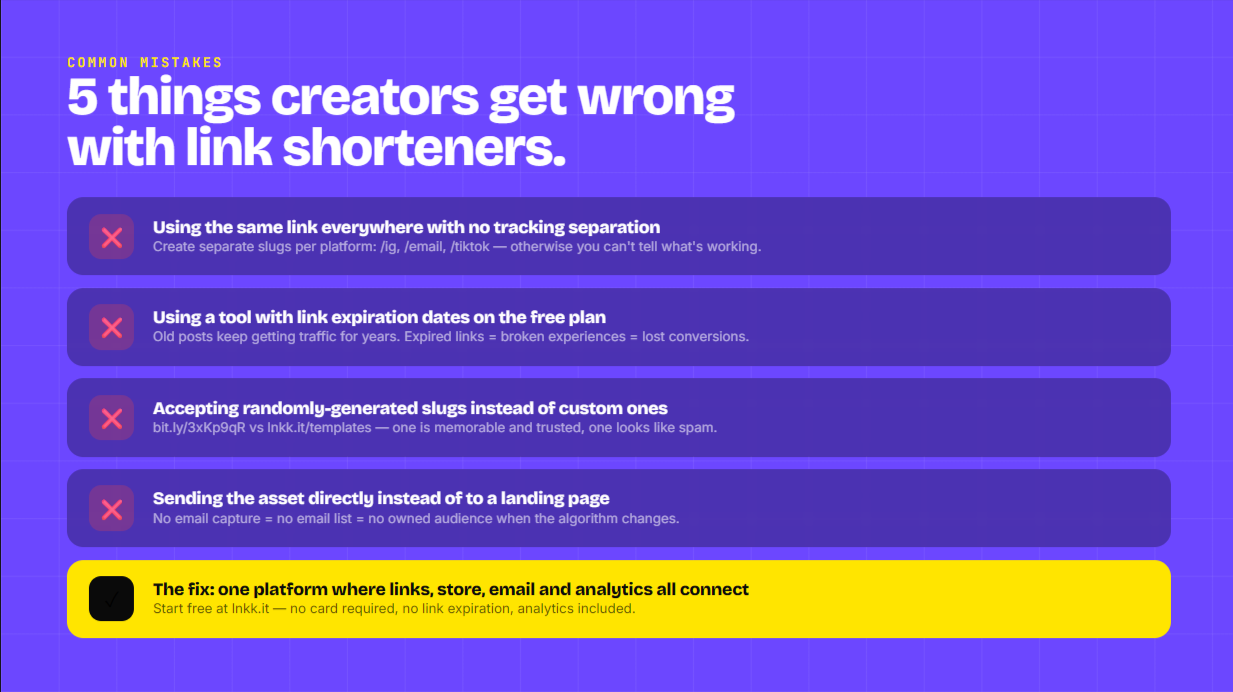
Using the same link everywhere with no tracking separation. If you share the same shortened URL in your Instagram bio, your email newsletter, and your TikTok — you'll see the total clicks but you won't know where they came from. Create separate short links for each channel (/ig, /email, /tiktok) so you can compare performance by platform.
Using a free tool that expires links. Check the terms before you start building your library of short links. Some free tools expire links after 30, 60, or 90 days. Any posts that linked to an expired URL will drive your audience to a dead end.
Using random slug generators instead of custom slugs. lnkk.it/3xKp9qR is functional but not memorable or brandable. lnkk.it/templates is something your audience can remember, type, and associate with you. Always set custom slugs.
Not redirecting old links when destinations change. If you move your store from Gumroad to a native Creator Store, update your shortened links to point to the new destination. One update in the link shortener dashboard fixes every published instance of that link everywhere.
Treating link shortening as optional. Every raw URL you share without shortening is a missed opportunity to track, brand, and optimize. Once you're in the habit of shortening every link before sharing, the cumulative click data you build up becomes one of your most useful analytics assets.
Getting Started with a Free Link Shortener Today
The fastest way to start: go to lnkk.it/tools/link-shortener, paste your most-shared link, give it a clean custom slug, and copy the shortened URL.
Replace whatever raw link you're currently using in your Instagram bio, your latest email, or your most active post with the new shortened version. You'll start seeing click data within hours.
If you want the full stack — bio link page, Creator Store, Instagram auto-reply, email marketing, and link shortener all in one place — Lnkk's free plan includes everything. No credit card required. Start at lnkk.it.
Frequently Asked Questions
Is a link shortener free to use?
Yes. Lnkk's link shortener is completely free, with no link expiration, no ads, and custom slug support included on the free plan. Advanced features like custom domains are available on Pro plans.
How do I make a URL shorter for free?
Go to lnkk.it/tools/link-shortener, paste your long URL, optionally set a custom slug, and click "Shorten Link." Your short URL is ready to copy and share immediately.
Can I use my own domain for a link shortener?
Yes — custom domain support is available on Lnkk's Pro plan. This lets you create short links using your own domain (like yourbrand.com/offer) instead of the default lnkk.it domain.
Do shortened links expire?
Lnkk shortened links do not expire. Once created, your short links work indefinitely. You can also update the destination URL at any time without changing the short link itself.
Is it safe to click shortened links?
Reputable link shorteners like Lnkk simply redirect to the original URL — no malware, no intermediary pages, no data harvesting. If you're unsure about a shortened link from an unknown source, you can typically preview the destination by adding a "+" to the end of the short URL.
Can I track how many people clicked my shortened link?
Yes. Create a free Lnkk account to see click analytics for every link you create — including total clicks, referral sources, and click timing. No paid plan required for basic analytics.
What's the difference between a link shortener and a bio link tool?
A link shortener converts a single long URL into a single short URL. A bio link tool creates a page with multiple links on it — your Instagram bio link page with your store, your newsletter, your latest content, etc. Lnkk offers both as part of the same platform, so you can shorten individual links and host your full bio link page in one place.
Can I edit a shortened link after creating it?
Yes. Log into your Lnkk account, find the link in your dashboard, and update the destination URL. The short link stays the same — only the destination changes. This is one of the most practical benefits of using a link shortener for published content.
YOU MAY ALSO LIKE
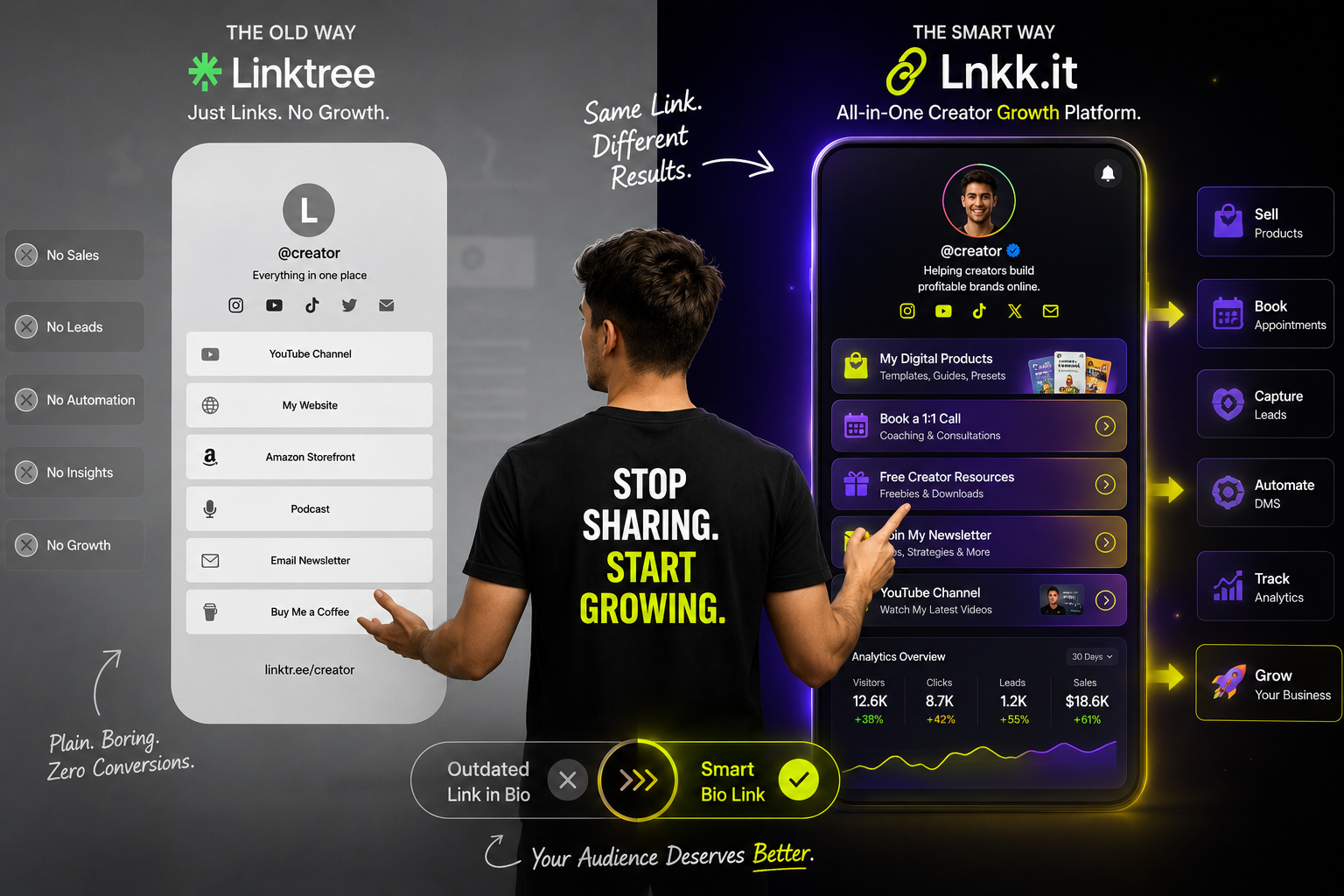
Why Smart Creators Are Ditching Linktree in 2026 (And What They're Using Instead)
Stop Repeating Yourself: The Ultimate Guide to the Lnkk.it FAQs App
Imagine reclaiming 5 hours of your week by automating answers to your most common DMs. The Lnkk.it FAQs App builds trust, saves time, and organizes your info beautifully.