Your Link in Bio Is the Most Valuable Real Estate You Own. Most Creators Are Wasting It.

Imagine owning a storefront on the busiest street in your city.
Every day, thousands of people walk past. Some slow down. Some stop and look in the window. A few even come inside.
Now imagine you're using that storefront as a sticky note.
Just a piece of paper on the door with a list of URLs written in small font.
No product displays. No signage. No way for someone who walked in to buy anything, leave their contact details, or know what you actually do.
That's what most creators are doing with their link in bio in 2026.
The most underestimated real estate on the internet
Your link in bio is the only clickable destination on your Instagram profile. It's where every caption that ends with "link in bio" actually leads. It's the single point where a stranger who watched your reel — and liked it enough to tap your profile — can become a follower, a subscriber, a customer, or a fan.
Everything you post on Instagram is essentially an advertisement for this one page.
If you make money on the internet, your bio link is the most valuable real estate you own. It's the bridge between a stranger watching a Reel and someone handing you their email, a tip, or twenty dollars for a digital product.
Most creators treat it like an afterthought.
They set up a free Linktree in 2019, added three links, and never touched it again. Their audience has grown. Their content has evolved. Their income streams have multiplied. But the page their entire Instagram audience lands on still looks exactly like it did when they had 800 followers.
That gap — between what a bio link page could do and what most creators actually use it for — is where significant revenue is being left behind every single day.
What actually happened to Linktree (and why it matters)
Linktree invented the link in bio tool category. Launched in 2016, it became the default answer to "what do I put in my Instagram bio?" It grew to over 50 million users on the back of one genuinely good insight: Instagram only lets you have one link, so why not make that link go somewhere that contains everything?
For several years, that insight was good enough. A simple page with a list of links was better than a single URL to a homepage nobody was looking for.
But 2025 changed the math for Linktree users.
Linktree raised prices 67% in November 2025 — Pro went from $9 to $15/month, Starter from $5 to $8/month, Premium from $24 to $35/month.
And the free plan got worse at the same time. The Linktree free plan now charges a 12% transaction fee on any sales, up from 9% before 2026.
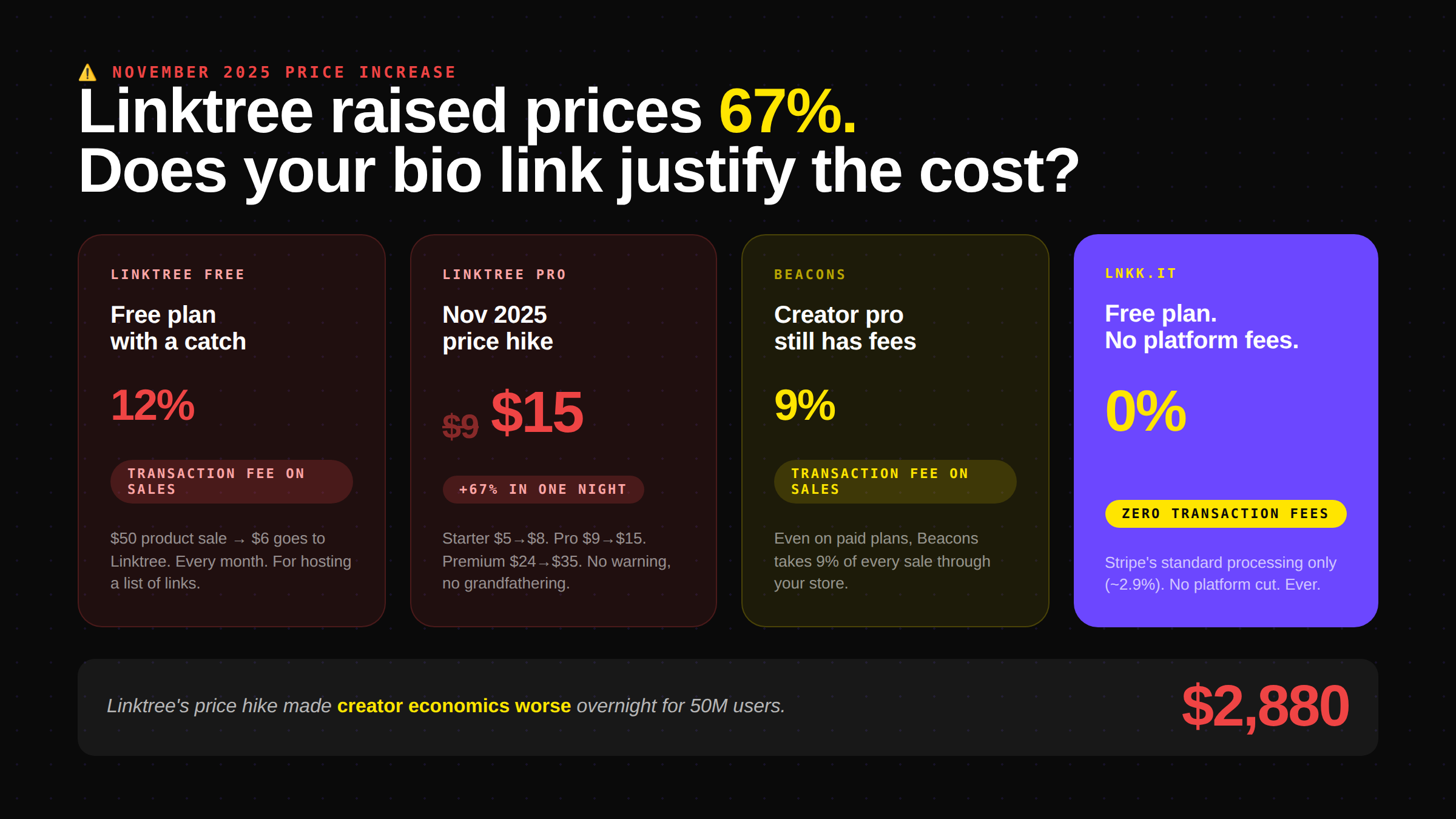
Read that again: if you sell a $50 digital product through a link on your free Linktree, $6 goes to Linktree before you see a penny. Not because Linktree processed the payment. Not because they provided customer support. Because your link was hosted on their domain.
This is the point where a tool that was helpful when you were small becomes a tax on your growth.
The four stages of how creators use their bio link
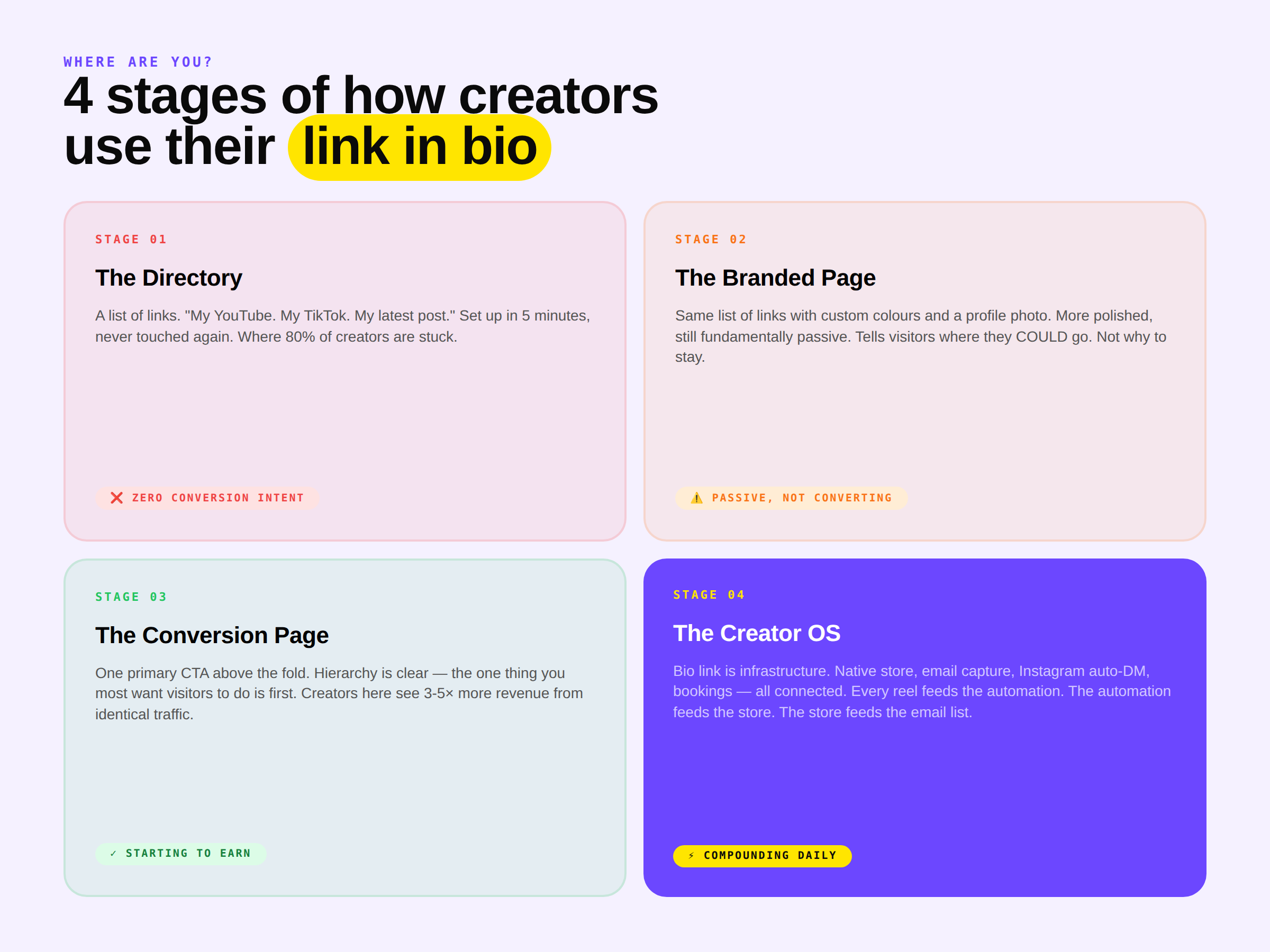
It helps to understand that "link in bio" isn't one thing. It's a spectrum, and most creators are stuck at stage one.
Stage 1 — The directory
A list of links. "My YouTube." "My TikTok." "My latest post." Usually Linktree, usually the free plan, usually set up in five minutes and never revisited.
This is what 80% of creators are doing. It's functional in the same way a phone book is functional — it contains information, technically — but it's not doing any work.
Stage 2 — The branded page
The same list of links, but with custom colours, a profile photo, and a bio that tells visitors who you are and why they should care. Slightly more polished, still fundamentally passive.
The page is saying: here are some places you could go. It's not saying: here's why you should stay and do something here.
Stage 3 — The conversion page
This is where the bio link starts earning. The page has a primary CTA (buy this product, download this guide, book this call) above the fold. Secondary links exist but the hierarchy is clear: one thing the creator most wants visitors to do, prominently placed, with everything else secondary to that.
Creators at this stage are typically seeing 3-5× more revenue from the same traffic compared to Stage 1.
Stage 4 — The creator OS
This is where it gets genuinely interesting. The bio link page isn't a separate tool — it's the front door of an integrated system.
A visitor lands on the page. They can see products and buy directly (no redirect to Gumroad, no external checkout). If they buy, they're automatically added to an email list. Their information connects to a booking system so they can schedule a call. The analytics dashboard shows not just which link they clicked, but which reel sent them there, what they bought, and what they opened in the next email.
Every interaction feeds the next one. The bio link isn't a page — it's infrastructure.
Most creators have never experienced Stage 4. Most of them are still using a five-year-old Linktree page and wondering why their revenue doesn't reflect their follower count.
The transaction fee problem nobody calculates
Here's a specific number worth sitting with.
A creator with 40,000 Instagram followers who sells digital templates and coaching packages — moderately successful, consistent content, engaged audience — might do $2,000 in monthly sales from their bio link.
Under the current Linktree free plan model:
12% transaction fee = $240 to Linktree
None of the convenience of an integrated storefront
No email capture built in
No analytics showing which reel drove which sale
No Instagram automation connecting the comment section to the checkout
$240 per month to host a list of links. $2,880 per year.
Under Lnkk's free plan on the same $2,000 in sales:
0% platform transaction fee
Integrated Creator Store with native checkout
Email capture on every purchase
Analytics connecting content to revenue
Instagram auto-reply running on Meta's official API
Payment processor fees apply (Stripe's standard rate of ~2.9% + $0.30 per transaction). Platform fee: zero.
The math isn't marginal. It's the difference between paying $240/month for a tool and paying $0/month for a better one.
Beacons, which positions itself as the creator commerce platform, charges 9% transaction fees on store sales even at its paid tiers. For a creator doing $2,000/month, that's $180 going to the platform every month, plus a subscription fee on top.
What your bio link page should actually contain
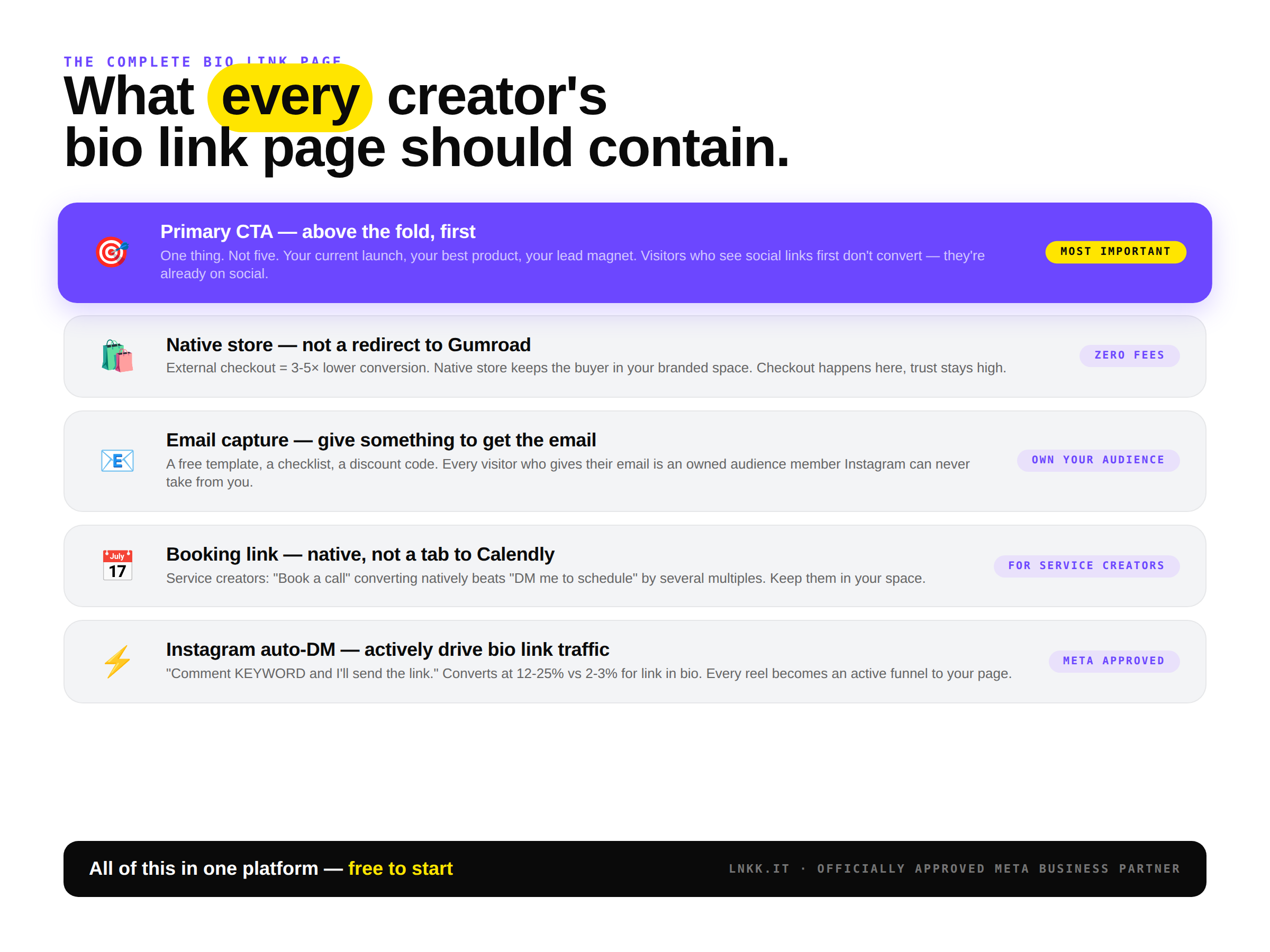
Forget the generic "add your links" advice. Here's what a bio link page that earns money looks like in 2026.
Your primary CTA — above the fold, before anything else
One thing. Not five things, one thing. The product launch that's live right now. The coaching package you're currently taking applications for. The free guide that starts your email funnel.
Most creators put their social profiles at the top of their bio link page. Social profiles that their visitor just came from. Think about that for a moment.
The person visiting your bio link is already on Instagram. They already follow you on TikTok. They don't need another way to find the thing they just left to get here. Put your primary conversion CTA first, every time.
A native store — not a redirect
The single biggest conversion killer in the typical bio link setup is the redirect to an external store. Visitor clicks "Shop My Templates," lands on Gumroad, waits for the page to load, looks at an interface they've never seen before, and quietly closes the tab.
A native store — where products live directly on the bio link page and checkout happens within the same branded environment — removes every one of those friction points. Many top creators are now moving beyond simple link pages to all-in-one platforms that offer deeper monetization and community features. The data consistently shows 3-5× higher conversion when checkout stays within the same branded experience.
Email capture — not optional
Your Instagram following can disappear tomorrow. Algorithm change, account restriction, policy update — every follower you have is on borrowed infrastructure. Your email list isn't.
Every visitor to your bio link page is a warm prospect. Someone who cared enough about your content to tap your profile and visit your bio page is considerably more likely to give you their email than a cold stranger. Not capturing that email is a missed compounding opportunity.
A bio link page that captures email in exchange for a lead magnet — a free template, a discount code, a short guide — turns passive visitors into owned audience. That's the most valuable transformation your bio link can make.
Bookings — for service creators
If you offer coaching, consulting, tutoring, or any service where time is the product, a booking link should be native to your bio page. Not a link to Calendly that opens in a new tab — a booking widget that keeps your visitor in your branded space while they schedule.
"Book a Call With Me" in the bio link page, converting immediately, beats "DM me to schedule" by a factor of several.
Instagram auto-reply connected to specific products
This is where a bio link tool becomes something categorically different. Rather than waiting passively for visitors to find your bio link, you drive them there actively through your content.
Post a reel. Say "comment TEMPLATES and I'll send you the link." A follower comments. They receive an instant, personalised DM with a direct link to the specific product — not your homepage, the exact product.
Conversion rate on this flow: 12-25%, versus 2-3% on "link in bio." The same content, the same audience, actively routed to the same destination — just through a mechanism that removes every unnecessary step between interest and action.
The creator OS is not a feature, it's a philosophy
The reason most bio link tools are inadequate isn't that they're missing a specific feature. It's that they were built with the wrong mental model.
Linktree was built around a list of links. It does that well, and for a long time that was enough. But a list of links is a passive tool — it waits for visitors, gives them choices, and hopes they click the right one.
The creator OS mental model is different. The bio link isn't a destination — it's infrastructure. It connects the content (Instagram, TikTok, YouTube) to the commerce (products, bookings, coaching) to the relationship (email list, DMs, community) and back to the content again, creating a loop that compounds with every piece of content you publish.
Every reel feeds the automation. The automation feeds the store. The store feeds the email list. The email list feeds the next launch. The next launch creates content for the next reel.
Each part of this loop requires a specific tool. The question is whether you're running that loop with five separate platforms that don't talk to each other, or with one platform where every piece shares data with every other piece.
At Lnkk, we built the platform around this loop specifically. Bio link page, Creator Store, Instagram auto-reply (Meta Business Partner certified), email marketing, and booking calendar — all under one dashboard, all sharing the same analytics, all starting on the free plan.
Five signs your link in bio is underperforming
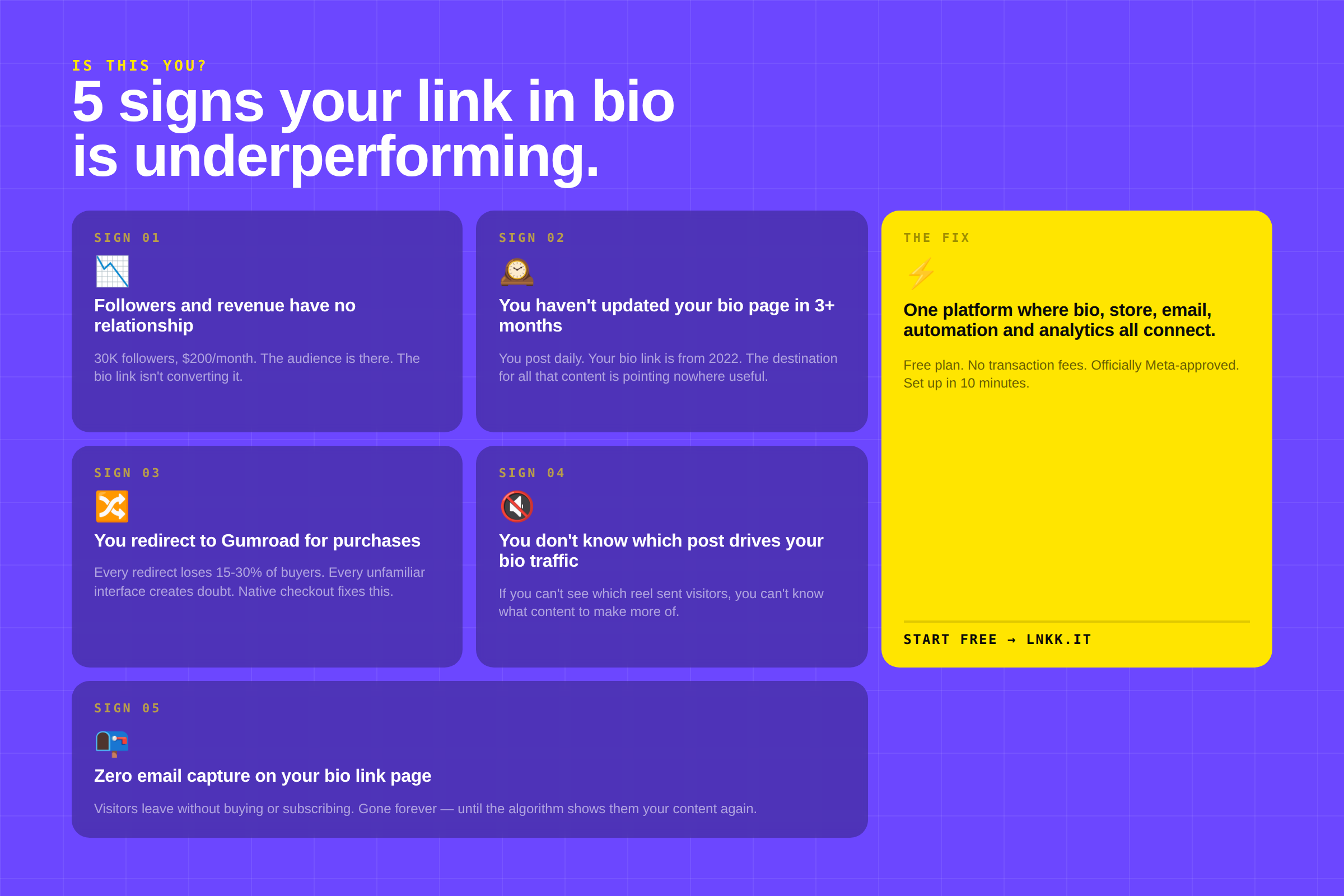
1. Your follower count and your revenue have no relationship. If you have 30,000 engaged followers and you're making $200/month from your content, the problem isn't your audience size — it's how you're converting that audience. The bio link is almost always involved.
2. You haven't updated your bio link page in more than three months. Content creators update their content daily. Their bio link page — the destination for all that content — goes months without changing. A bio link that doesn't reflect your current offers is pointing traffic nowhere useful.
3. You're redirecting to external platforms for purchases. Every redirect is a conversion tax. Every unfamiliar interface is doubt. Every extra second of load time is lost intent. Native checkout on the bio link page eliminates all of this.
4. You don't know where your bio link traffic comes from. "Link in bio" at the end of every post. But which post? Which reel? Which story? Without analytics showing you which content is driving bio link visits, you're creating content blind. The data that tells you what to double down on is sitting uncollected.
5. You have no email capture on your bio link page. If a visitor arrives at your bio link page and leaves without buying or giving you their email, they're gone. You have no way to reach them again until they happen to see another piece of your content. Email capture transforms a one-time visit into a relationship.
What to do with this
If your bio link is at Stage 1 or Stage 2, the upgrade path is simpler than it might feel:
Step 1 — Audit your current page. What's above the fold? Is there a clear primary CTA? Are you selling directly or redirecting to Gumroad? Do you have email capture?
Step 2 — Move your store native. Whatever you currently sell through an external platform, replicate it as a Creator Store product on your bio link page. Run both simultaneously for 30 days and compare conversion rates.
Step 3 — Set up one auto-reply automation. Pick your best-performing reel, add "comment [KEYWORD] for the link" to the caption or comments, and route the auto-DM to your store or lead magnet. Watch what happens to your conversion numbers.
Step 4 — Add email capture. Create a simple lead magnet — a free template, a checklist, a short guide — and put an email capture form on your bio link page. Give the lead magnet in exchange for the email address.
Step 5 — Check your analytics weekly. Which link gets the most clicks? Which content drives the most bio visits? Which products convert best? The answers are in the data if you're actually looking.
If you want to try the setup described here — bio link page, Creator Store, Instagram auto-reply, email marketing, bookings, all integrated — Lnkk's free plan includes everything. No transaction fees beyond standard payment processing. No credit card required.
FAQ
What is a link in bio? A link in bio is the single clickable URL displayed on an Instagram (or TikTok, Twitter, or other social) profile. Because most social platforms don't make links in post captions tappable, creators use this single bio link as their primary destination for sending followers to products, content, stores, or other platforms.
What is the best link in bio tool in 2026? For creators who sell digital products or services, Lnkk is the strongest option — it combines a bio link page with a native Creator Store, Instagram automation, email marketing, and bookings, with zero transaction fees beyond payment processing. For creators who only need a simple list of links, Linktree's free plan is well-known and functional, though it now charges 12% transaction fees on sales.
Is link in bio free? Many link in bio tools offer free plans. The key thing to check is whether the free plan includes analytics and what transaction fees apply to sales. Lnkk's free plan includes analytics and charges zero platform transaction fees. Linktree's free plan now charges 12% on sales. Beacons charges 9% even on paid plans.
Why did Linktree raise its prices? Linktree raised prices approximately 67% in November 2025, with Pro moving from $9 to $15/month. The company has cited expanded features including AI analytics as justification. The price increase drove significant interest in Linktree alternatives, particularly from creators who were already on tight margins.
What should I put on my link in bio page? At minimum: a clear primary CTA above the fold (your most important current offer), links to your main social profiles and content, and an email capture mechanism. For creators who sell: a native store, product links with clear descriptions, a booking link if you offer services, and integration with Instagram automation so your content drives traffic to specific products.
Can I sell directly from a link in bio page? Yes — with the right tool. Lnkk's Creator Store allows you to sell digital products, templates, courses, coaching, and physical pre-orders directly from your bio link page. Checkout happens natively without redirecting to an external platform. Zero transaction fees beyond payment processing.
YOU MAY ALSO LIKE
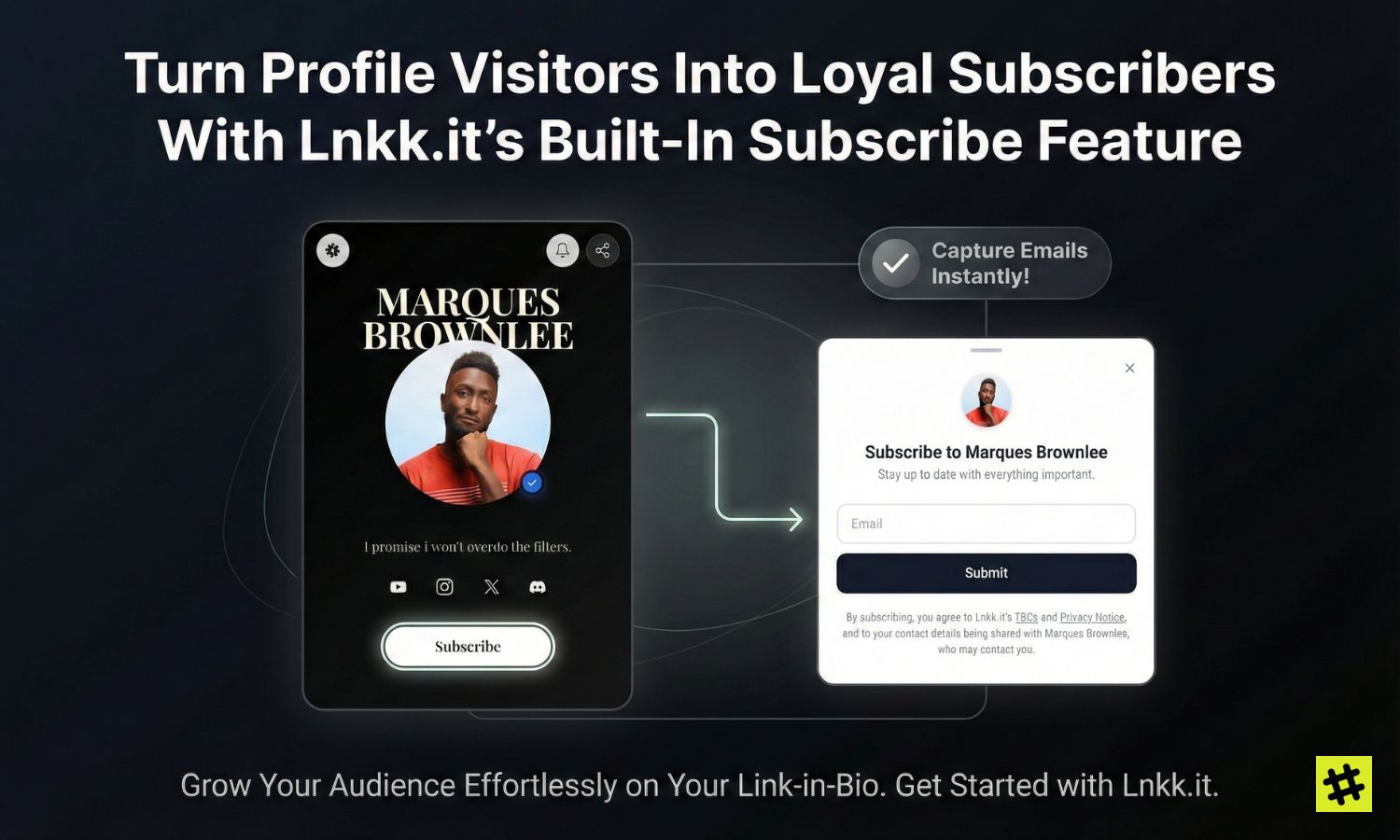
Turn Profile Visitors Into Loyal Subscribers With Lnkk.it's Built-In Subscribe Feature
Your link-in-bio page gets traffic every day — but how many of those visitors actually stay? Lnkk.it's Subscribe feature lets you capture emails directly from your profile, build a loyal audience, and engage them with branded welcome emails. Here's how to set it up and why it matters.
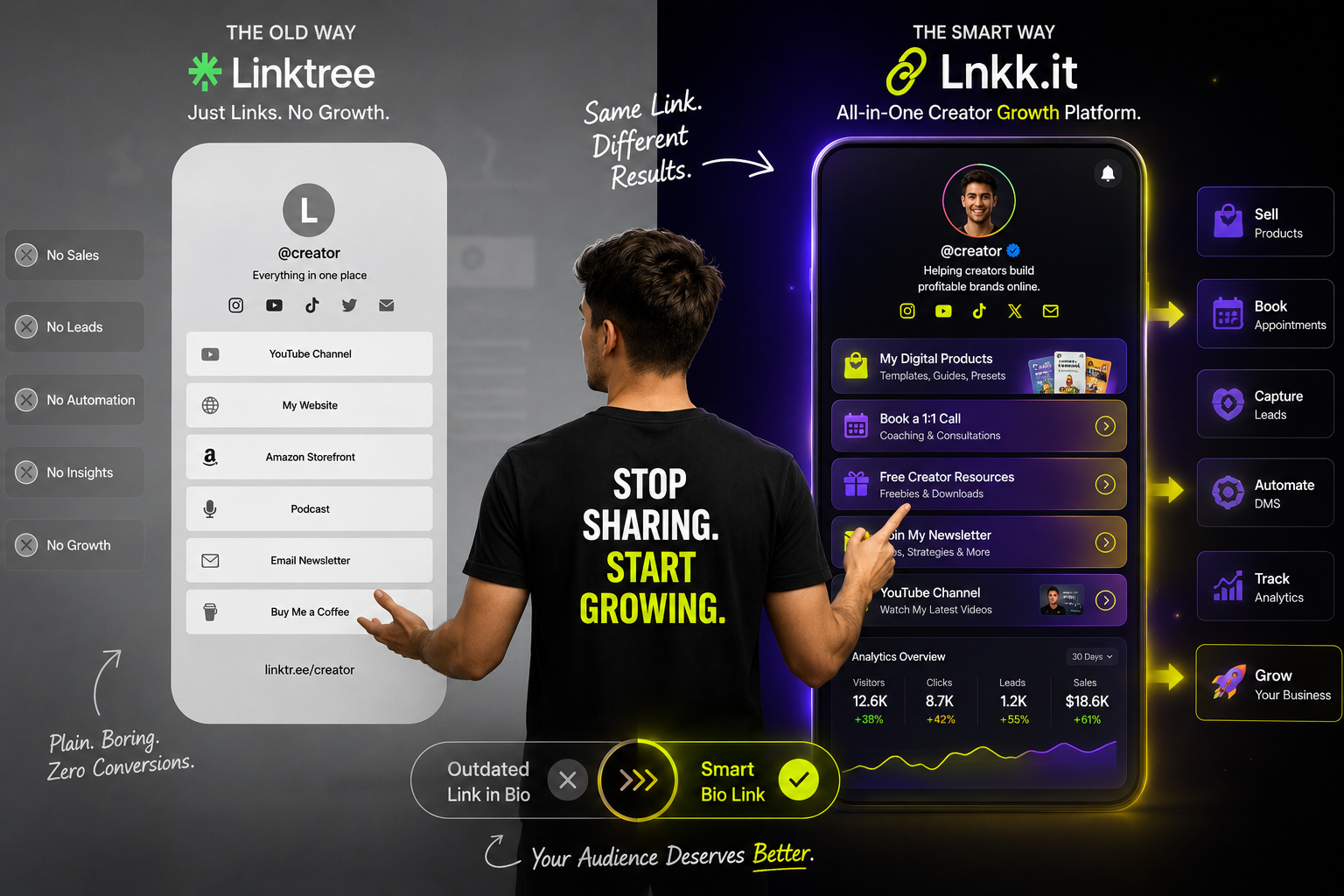
Why Smart Creators Are Ditching Linktree in 2026 (And What They're Using Instead)
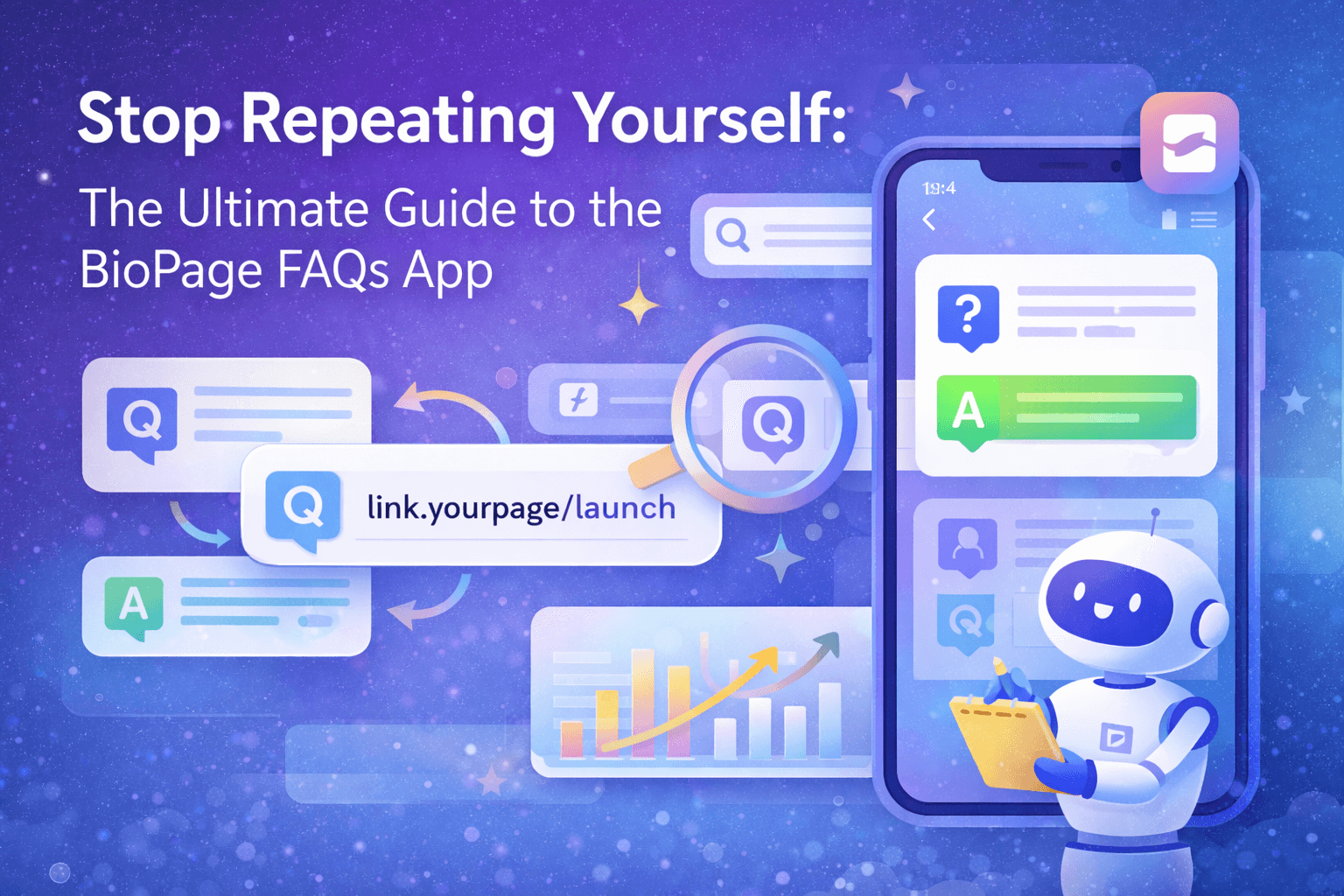
Stop Repeating Yourself: The Ultimate Guide to the Lnkk.it FAQs App
Imagine reclaiming 5 hours of your week by automating answers to your most common DMs. The Lnkk.it FAQs App builds trust, saves time, and organizes your info beautifully.