Best Free URL Shortener in 2026: Bitly vs TinyURL vs Lnkk.it (Honest Comparison)

Searching for a free URL shortener in 2026 looks simple until you realise the three most-searched tools have very different definitions of "free."
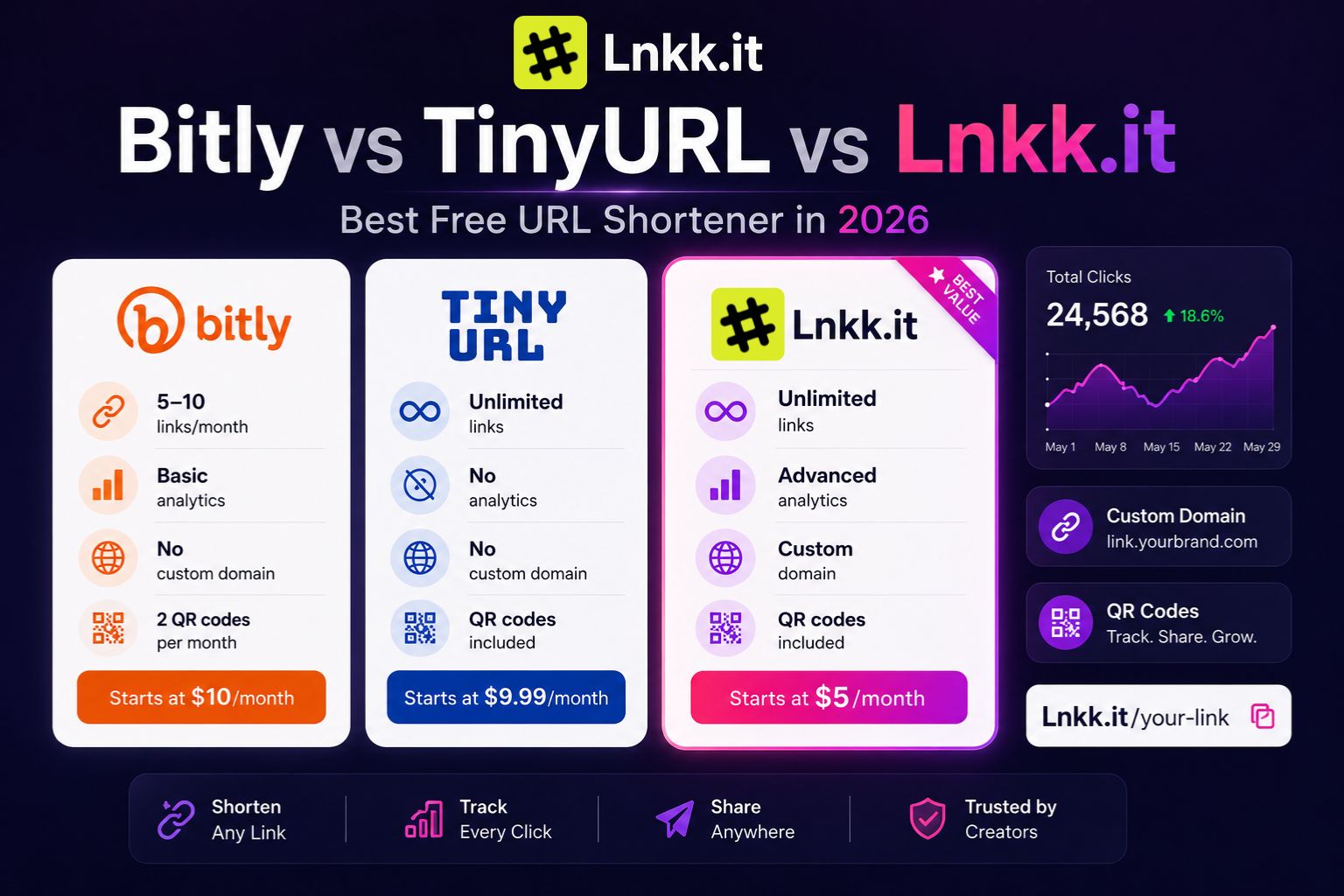
Bitly's free plan caps you at 5-10 links per month. TinyURL's free plan gives you unlimited links but zero analytics — meaning you can use a link shortener free of charge all day and never know if anyone clicked. Most comparison posts bury these details in footnotes or skip them entirely.
This one doesn't.
This is a direct, feature-by-feature url shortener comparison of the three most commonly used URL shorteners — Bitly, TinyURL, and Lnkk.it — covering what each free plan actually includes, where each one forces you to upgrade, and which one makes the most sense depending on how you use short links.
Why the Free Plan Details Matter More Than You Think
Most people pick a URL shortener, start building a library of short links, share them across social media, email, and content — and then hit a limit six months later that forces them to either upgrade or start over.
Starting over means every previously shared link either breaks or redirects to whatever you move to. That's a problem in two ways: your audience gets a broken experience, and you lose all the analytics history you built up.
Choosing the right free plan upfront — one that matches your actual usage — avoids this entirely.
Bitly vs TinyURL vs Lnkk.it: Quick Comparison
Links per month (free url shortener access): Bitly Free gives you 5-10 links only per month, TinyURL Free offers unlimited links, and Lnkk Free offers unlimited links.
Custom slugs: Bitly Free allows 3 per month, TinyURL Free includes them, and Lnkk Free includes them.
Click analytics: Bitly Free offers basic, limited reporting; TinyURL Free does not include any analytics; Lnkk Free includes analytics.
Custom domain: Not supported on Bitly Free, not supported on TinyURL Free, and requires a Pro plan upgrade on Lnkk.
Link expiration: Links never expire on Bitly Free, TinyURL Free, or Lnkk Free.
QR codes: Bitly Free allows 2 per month, TinyURL Free includes them, and Lnkk Free includes them.
Bio link page: Bitly Free offers a limited version, TinyURL Free does not include one, and Lnkk Free includes a full bio link page.
Creator Store: Not available on Bitly Free or TinyURL Free, but included on Lnkk Free.
Instagram automation: Not available on Bitly Free or TinyURL Free, but included on Lnkk Free.
Email marketing: Not available on Bitly Free or TinyURL Free, but included on Lnkk Free.
Paid plan starts at: $10 per month for Bitly, $9.99 per month for TinyURL, and $5 per month for Lnkk.
Bitly vs TinyURL: The Industry Standard vs The Original
Bitly: The Industry Standard With an Increasingly Restrictive Free Plan
Bitly is the most recognised URL shortener in the world. It's been around since 2008, processes billions of clicks per month, and remains the default tool most people think of when they hear "link shortener."
For good reason: Bitly's interface is clean, its analytics dashboard is well-designed, and its integrations ecosystem is broad. If you're a marketing team at a mid-sized company, Bitly's paid plans are genuinely good.
For individuals, solo creators, and small businesses — the free plan is where things get complicated.
What Bitly's free plan actually includes
Bitly's free plan gives you up to 10 links per month — this is the number of new short links you can create each month. Basic click analytics let you see total clicks, but reporting is limited.
Some sources put this even lower, noting the free tier is limited to 5 links per month, with no custom domain support.
Either way, the constraint is real. Ten links per month is not enough for an active creator, marketer, or even a moderately busy small business. If you're running a newsletter, posting multiple times per week, and sharing links to products, content, and promotions — you'll hit the monthly cap within days.
What happens when you need more
The Core plan at $10/month (billed annually only — no monthly option) gives you 100 shortened links per month, 5 QR codes, and just 30 days of analytics data retention. Custom domains are supported, but the 30-day data retention window means you lose visibility into your link performance after just one month.
The Growth plan at $29/month annually (or $35/month if you want monthly billing) bumps this to 500 links per month, 10 QR codes, and 4 months of data retention, plus city-level analytics and UTM parameter support.
Bitly's honest strengths
Best-in-class branded link experience once you're on a paid plan
Extensive third-party integrations (Hootsuite, HubSpot, Zapier, etc.)
Reliable and trusted by Fortune 500 companies — no risk of the service disappearing
Clean, intuitive interface
Bitly's real limitations
Key features such as branded links, detailed analytics, and QR code customization are locked behind higher-priced plans, which many users find expensive, especially for small businesses or occasional users.
The free plan's link cap is simply too low for consistent use
Analytics data retention starts at just 30 days on the Core plan — meaning historical click data disappears quickly unless you upgrade further.
Designed primarily for enterprise and marketing teams, not individual creators
Best for: Marketing teams and businesses that need integrations, branded links, and enterprise-grade reliability — and are willing to pay for a proper plan.
Not great for: Individual creators or anyone who needs more than 10 links per month without paying.
TinyURL: Unlimited Links, but Zero Analytics on the Free Plan
TinyURL is the original URL shortener. It launched in 2002 and was the go-to tool for making long links shareable before Bitly or any modern alternative existed. Its pitch has always been simplicity: paste a URL, get a short one, share it.
In 2026, TinyURL has evolved beyond the bare-minimum tool it started as. The free plan includes instant URL shortening with the tinyurl.com domain, automatic QR code generation with each shortened link, link history management to view all links you've created, and custom alias support to personalise your link's ending.
That's a genuinely solid free plan for basic needs. Unlimited links with custom aliases, no monthly cap, and automatic QR codes — on paper, it's generous.
The catch, and it's a significant one for anyone using link shorteners professionally: TinyURL's free plan includes no click analytics whatsoever.
The analytics problem
For any user who wants to know how their links are performing, TinyURL's free plan provides no usable data.
This matters more than it might seem at first. The entire strategic value of a link shortener — beyond just making URLs shorter — is understanding which links are getting clicks, where those clicks are coming from, and when.
Without analytics, you're shortening links in the dark. You can share as many short links as you want and never know whether anyone clicked on them, which platform drove the most traffic, or which of your posts actually generated engagement.
For personal use — sharing a link with a friend, dropping a reference in a forum post — this is fine. For anyone using link shorteners as part of a content strategy, a business, or even just trying to understand their Instagram bio link traffic: TinyURL free is not workable.
Upgrading from TinyURL free
TinyURL's Pro plan starts at $9.99/month and adds branded domains and link analytics. That's a reasonable upgrade for what you get — but it means analytics are a paid feature, not a free one.
TinyURL's honest strengths
Genuinely unlimited links on the free plan — no monthly cap
Custom aliases without paying anything
QR codes automatically generated for every link
Simple, fast, no learning curve
Reliable — has been operating since 2002
TinyURL's real limitations
Zero analytics on the free plan — no click tracking at all
No branded domain support until Pro ($9.99/month)
No bio link page or creator tools
Interface hasn't evolved much — basic compared to modern alternatives
Design philosophy still centres on the short link itself rather than the infrastructure around it, making it a limited choice for users who need campaign analytics, team collaboration, advanced link controls or marketing integrations.
Best for: Users who genuinely only need to shorten links for simple sharing — no tracking, no branding, no creator tools required.
Not great for: Anyone who wants to understand their link performance, or any creator using links as part of a content or monetisation strategy.
Lnkk.it: Built for Creators, Analytics Included Free
Lnkk.it started as a bio link tool and creator OS rather than a standalone link shortener — which means its link shortener was built inside a platform that already understood what creators actually need from links: not just shorter URLs, but trackable, brandable, monetisation-connected links.
The link shortener at lnkk.it/tools/link-shortener is free and includes what's missing from Bitly and TinyURL's free plans:
Unlimited links — no monthly cap like Bitly
Click analytics included free — no upgrade required like TinyURL
Custom slugs — set your own memorable ending
No link expiration — links work forever
No ads or redirect pages — clean, instant redirects
What makes Lnkk.it different from both
The fundamental difference isn't just the free plan features — it's the context the link shortener operates in.
Both Bitly and TinyURL are standalone tools. You shorten a link, share it, see the clicks. That's the full product.
Lnkk.it's link shortener is part of a wider creator platform that also includes:
Bio link page: one page with all your links, products, and social profiles, optimised for Instagram's single bio link slot. Every shortened link can also live on your bio page.
Creator Store: sell digital products, templates, courses, and coaching directly from your profile. Zero transaction fees beyond standard payment processing. The link shortener and Creator Store share the same analytics dashboard.
Instagram Auto-Reply: comment-to-DM automation that runs on Meta's official Graph API. When followers comment a keyword on your reel, they instantly receive a DM with the relevant short link. Officially approved Meta Business Partner — fully safe for your account.
Email Marketing: capture subscribers from your bio page and link landing pages. Every buyer from your Creator Store enters your email list automatically.
Bookings: let followers schedule calls and sessions directly from your profile.
For a creator whose links lead to products, content, or bookings — all tracking across these tools is connected. You're not just seeing "how many people clicked this link" — you're seeing the full journey from link click to product purchase to email subscriber.
Lnkk.it's honest strengths
Analytics included on the free plan — no upgrade needed to track clicks
Unlimited links, no monthly cap
Built for creators — not retrofitted to creator needs from an enterprise tool
All links connect to bio page, Creator Store, email list, and bookings in one dashboard
Meta-approved Instagram automation means your links can be delivered via auto-DM
No link expiration
Lnkk.it's real limitations
Custom domain requires the Pro plan ($9/month)
Newer platform — less brand recognition than Bitly or TinyURL
Fewer third-party integrations than Bitly's enterprise-focused ecosystem
Best value when you use the full platform — if you only need standalone link shortening with no creator tools, Bitly or TinyURL may feel more familiar
Best for: Creators, freelancers, coaches, and small businesses who want link shortening with analytics AND a connected platform for their bio link, store, and Instagram strategy.
Not great for: Enterprise marketing teams needing deep integrations with HubSpot, Salesforce, or similar platforms.
Head-to-Head: The Three Scenarios That Matter Most
Scenario 1 — "I just need to shorten links occasionally for free"
Winner: TinyURL
Unlimited links, no account required for basic use, custom aliases included, automatic QR codes. If you genuinely only need shorter URLs with no tracking and no creator infrastructure, TinyURL's free plan is the most generous starting point.
Scenario 2 — Free link shortener with analytics
Winner: Lnkk.it
TinyURL offers no analytics on its free plan. Bitly caps you at 5-10 links per month and limits analytics depth. Lnkk.it includes click analytics on the free plan with no monthly link cap. For anyone who needs a free link shortener with analytics to understand link performance without paying, Lnkk.it is the only option in this comparison that delivers it.
Scenario 3 — "I'm a creator using links to drive sales, followers, and email signups"
Winner: Lnkk.it (by a significant margin)
Neither Bitly nor TinyURL connect your short links to a bio page, Creator Store, email list, or Instagram automation. Lnkk.it does all of this in one platform. A short link that drives a follower from a reel comment to a product purchase to an email subscriber is trackable end-to-end on Lnkk.it — impossible on either alternative.
Pricing Comparison: What You Pay for What You Get
Plan Bitly TinyURL Lnkk.it Free tier 5-10 links/mo Unlimited (no analytics) Unlimited + analytics Entry paid $10/month $9.99/month $9/month Mid-tier $29-35/month — — Premium $199-300/month $99/month — Annual discount Required for Core Available Available
At the paid entry level, all three tools are approximately the same price ($9-10/month). The meaningful difference is what you get:
Bitly Core ($10/month): 100 links/month, 30-day analytics retention, custom domain
TinyURL Pro ($9.99/month): Unlimited links, analytics, branded domain
Lnkk.it Pro ($9/month): Full creator OS — bio link, Creator Store, Instagram auto-reply, email marketing, bookings, link shortener — all included
For the same price, Lnkk.it Pro replaces 4-5 separate tools. The comparison at the $9-10/month tier isn't really link shortener vs link shortener — it's one tool vs a full creator stack.
The Google URL Shortener Question
One frequently asked question: what happened to Google's URL shortener (goo.gl)?
Google has scheduled previously flagged inactive goo.gl links to stop working after August 25, 2025. While actively used links continue to work, you can't create any new ones.
This means if you've been using goo.gl links anywhere — in old posts, emails, or published content — those links may already be broken or on a countdown. The practical advice: audit your published content for any goo.gl links and replace them with new short links from whichever tool you choose. Unlike goo.gl, the tools in this comparison do not expire your links.
Conclusion: Which Free URL Shortener Should You Use?
Choose TinyURL free if: You need unlimited short links for personal use, don't care about analytics, and want the simplest possible tool with no setup.
Choose Bitly free if: You only need 5-10 links per month and want the most recognised brand name attached to your links.
Choose Lnkk.it free if: You're a creator, freelancer, or small business looking for the ultimate free url shortener that includes analytics on their free plan, wants unlimited links, and plans to use their link shortener as part of a wider strategy that includes Instagram, a bio link page, or digital product sales.
Start free at lnkk.it/tools/link-shortener →
Frequently Asked Questions
What is the best free URL shortener in 2026?
For creators and small businesses, Lnkk.it is the best free url shortener in 2026 because it includes click analytics, unlimited links, and custom slugs on the free plan — while also connecting to a bio link page, Creator Store, and Instagram automation tools. For pure URL shortening with no analytics needed, TinyURL's free plan is the most generous in terms of link volume.
Is Bitly actually the best link shortener for free users?
Bitly is widely considered a competitive candidate for the title of best link shortener worldwide, and it offers a free plan, but it limits you to 5-10 new short links per month. For most professional use cases, this cap is too restrictive. Paid plans start at $10/month.
Does TinyURL have analytics for free?
No. TinyURL's free plan does not include click analytics. You can shorten unlimited links for free, but you cannot track how many people click them without upgrading to a paid plan starting at $9.99/month.
What is the best Bitly alternative that's free?
Lnkk.it is a strong bitly alternative free tier option built specifically for creators — it includes analytics on the free plan, has no monthly link cap, and comes with a full bio link page, Creator Store, and Instagram automation tools that Bitly doesn't offer at any price tier.
Do any free URL shorteners include analytics?
Yes — Lnkk.it includes basic click analytics on the free plan with no upgrade required. If you specifically need a free link shortener with analytics, most other options (including TinyURL) require a paid subscription to access link performance metrics.
What happened to Google's link shortener goo.gl?
Google shut down the ability to create new goo.gl links. Previously flagged inactive links have already stopped redirecting, and the full service is winding down. If you have goo.gl links published anywhere, replace them with a tool that doesn't expire your links by checking out our free link shortener guide.
Can I use my own domain for free with these tools?
No. Custom domain support (using your own domain.com instead of bitly.com, tinyurl.com, or lnkk.it) requires a paid plan with all three tools. Lnkk.it Pro, which includes custom domain support along with the full creator platform, starts at $9/month.
YOU MAY ALSO LIKE

Lnkk.it vs Bitly vs Linktree: Which Link Tool Actually Fits What You're Doing?
An honest comparison of Lnkk.it, Bitly, and Linktree — what each tool actually does, where they fall short, and which one fits link shortening, bio pages, and conversion tracking.
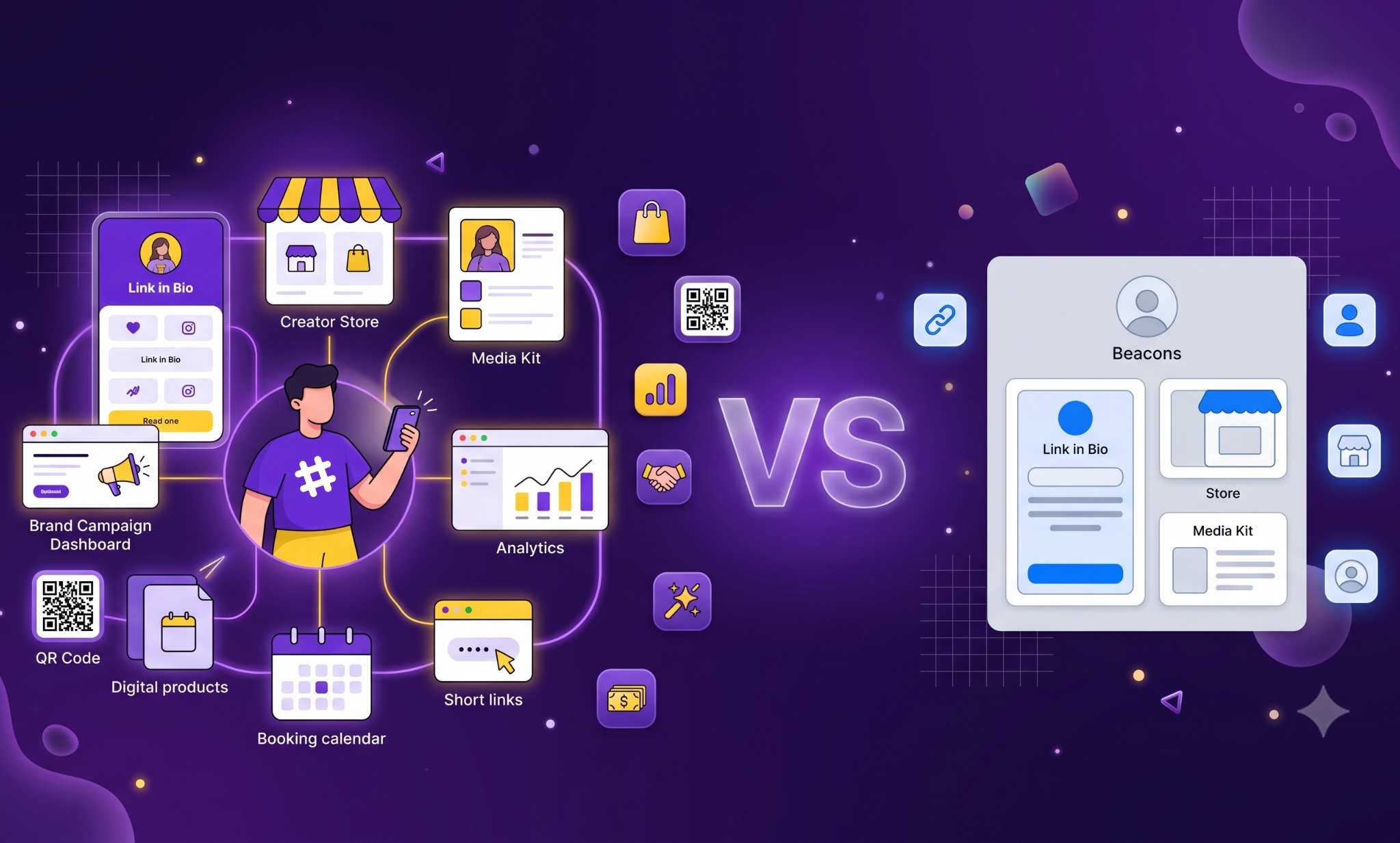
Lnkk.it vs. Beacons (2026): Full Comparison — Which One Actually Pays Off?
Lnkk.it vs Beacons compared on fees, Instagram automation, creator stores, and media kits — an honest, feature-by-feature 2026 breakdown.
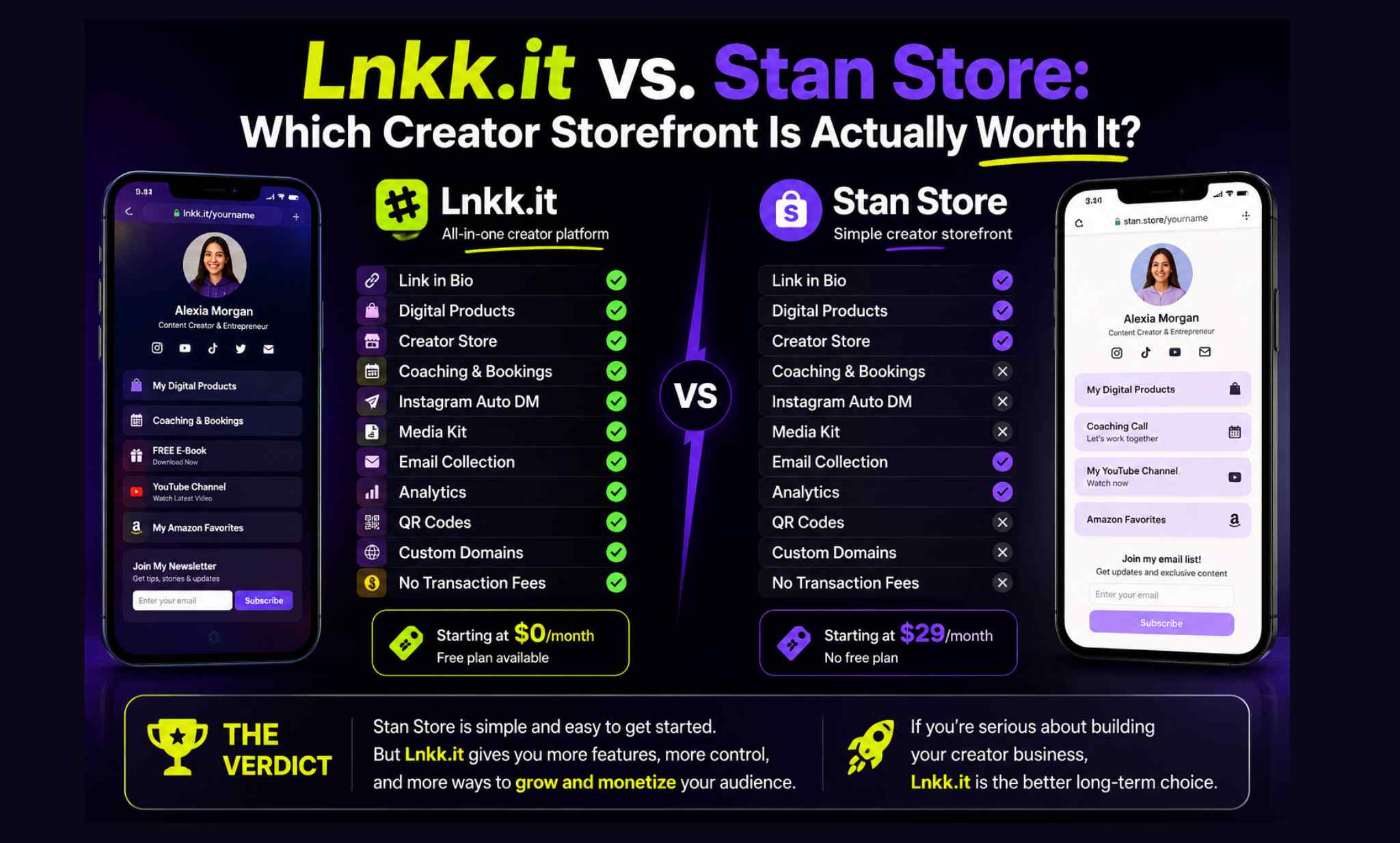
Lnkk.it vs. Stan Store: Which Creator Storefront Is Actually Worth It in 2026?
Stan Store has no free plan and starts at $29/mo. Here's how Lnkk.it compares on pricing, Instagram automation, SEO, and store features in 2026.