7 Best Free Linktree Alternatives in 2026 (Honest Comparison — No Affiliate Deals)

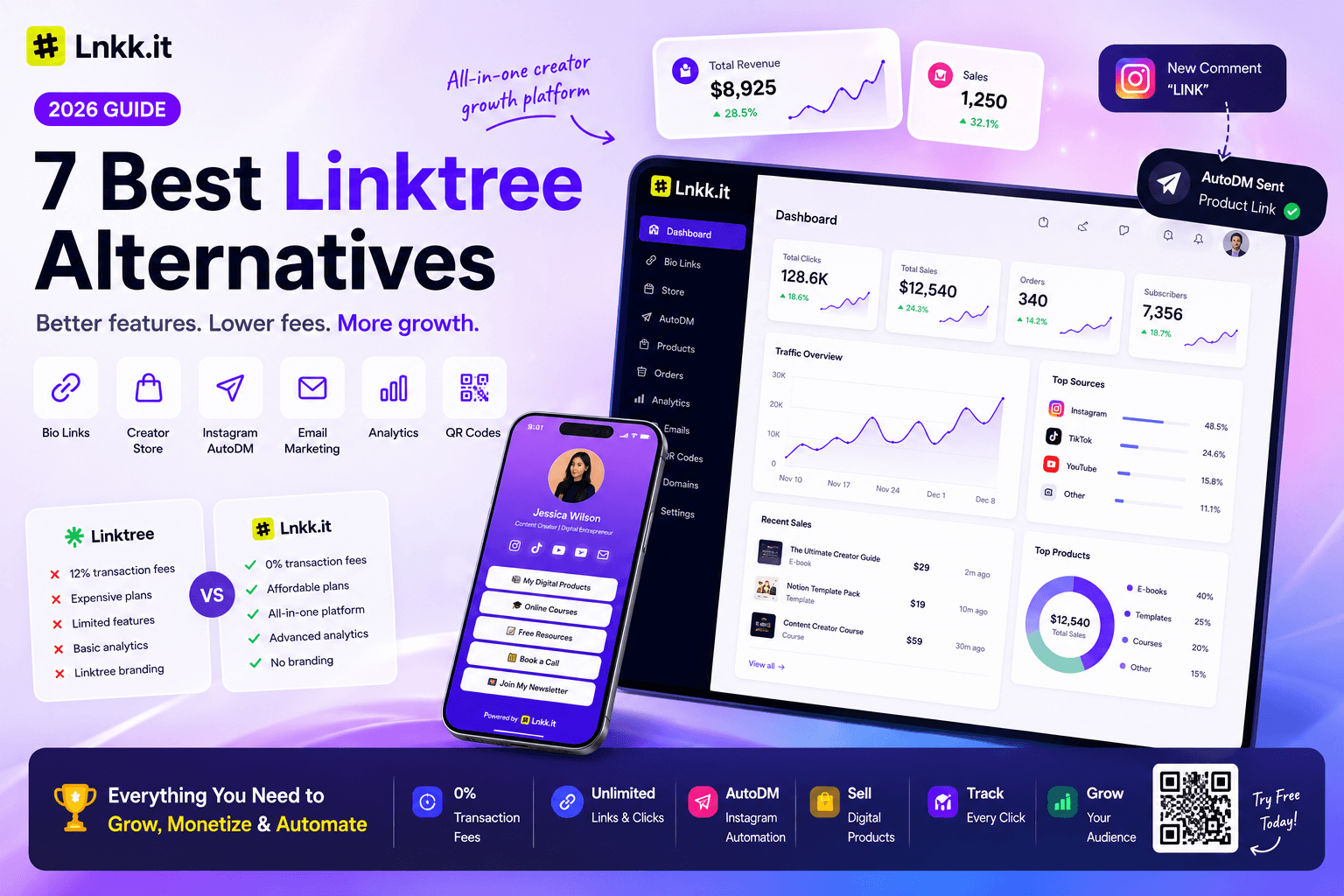
Linktree didn't invent the bio link. It just arrived first.
For a long time that was enough. "Use Linktree" became the default answer to "what do I put in my Instagram bio?" — not because Linktree was always the best tool, but because it was the most familiar one.
That changed in November 2025.
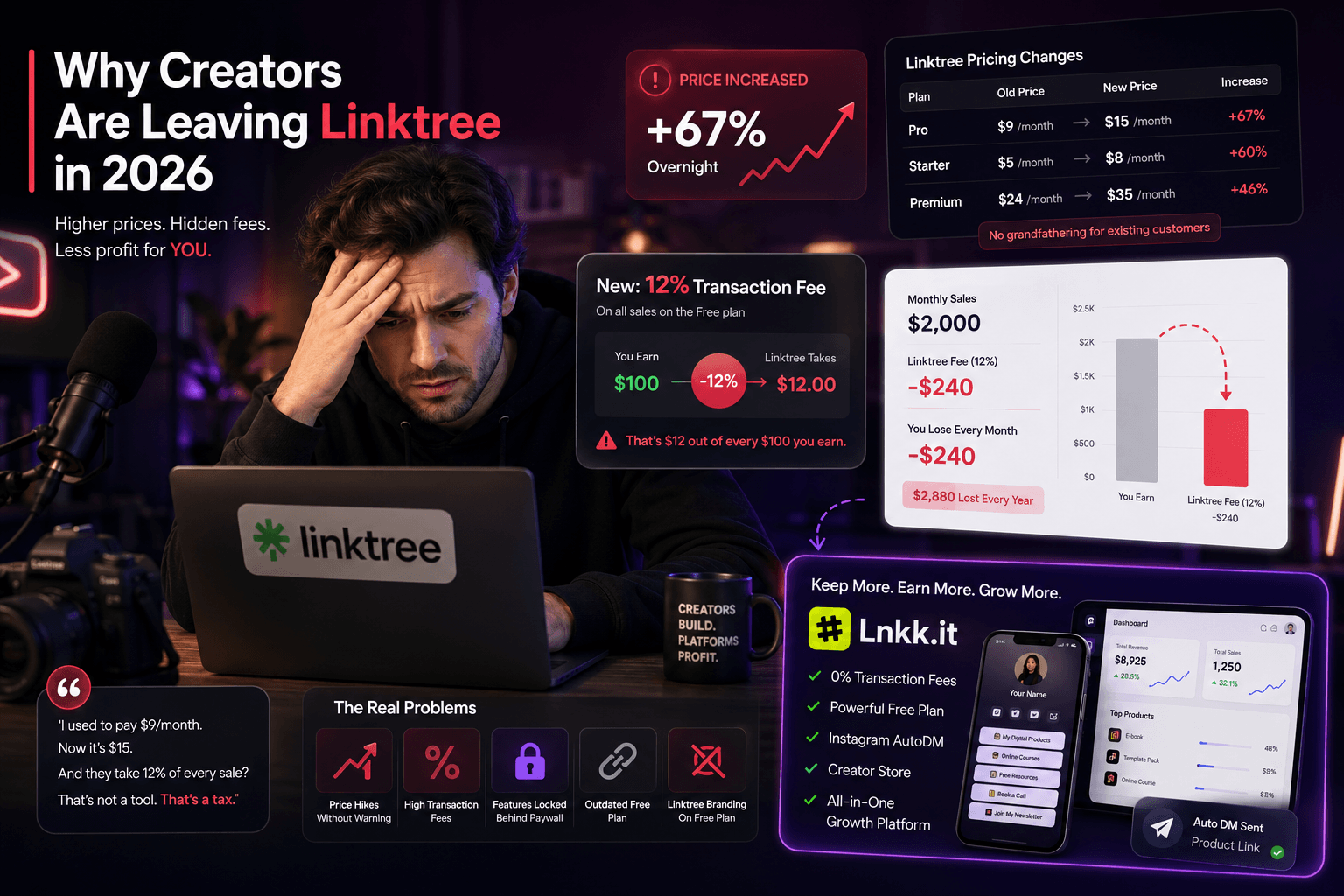
Linktree raised prices 67% overnight — Pro from $9 to $15/month, Starter from $5 to $8, Premium from $24 to $35 — with no grandfathering for existing customers. And the free plan quietly got worse: it now charges a 12% transaction fee on any sales made through your bio link page.
That's not a subscription cost. That's 12 cents out of every dollar, every time someone buys your digital product, your template, or your coaching package — going to a platform whose only contribution was hosting a list of links.
For creators with growing sales volume, this isn't abstract. It's hundreds to thousands of dollars per year that used to be theirs.
The good news: in 2026, the link-in-bio space is genuinely competitive. There are 14 serious Linktree competitors that range from genuinely free with no catch to specialized power tools. Several do everything Linktree does for free. A few do dramatically more for the same money or less.
This guide cuts through the noise. Seven honest alternatives, real 2026 pricing, no affiliate arrangements, and a clear verdict on which one fits which creator type.
Why creators are leaving Linktree in 2026
Before the alternatives, it's worth being specific about the reasons people are switching — because the right replacement depends entirely on which problem you're actually trying to solve.
The price hike. The November 2025 increase was significant for two reasons: the size (67% on Pro) and the absence of any warning. Creators who'd built their workflow around Linktree at $9/month woke up to a $15 bill with no transition period. For solo creators on tight margins, that's not trivial.
The transaction fees. Linktree's free plan takes a 12% cut of every sale. This is the less-discussed issue but arguably the larger one. A creator selling $2,000/month in digital products through a free Linktree page is paying $240/month in transaction fees — $2,880/year — for the privilege of using a tool they didn't pay cash for. At that volume, upgrading to Linktree Pro ($15/month) is actually cheaper than staying on the free plan.
The feature gap. Linktree's free plan is showing its age — basic themes, no custom domain, analytics locked behind a paywall, and that Linktree watermark on every page. Tools that launched years after Linktree have leapfrogged it on features — email capture, native stores, Instagram automation, booking calendars — while Linktree has moved slowly in comparison.
The branding problem. Every free Linktree page carries the Linktree watermark. For creators building a serious personal brand, sending 1,000 people per day to a page that says "Powered by Linktree" in the footer communicates something — that you haven't invested in your own infrastructure. Competitors that remove branding on free plans have a meaningful advantage here.
The 7 best free Linktree alternatives in 2026
1. Lnkk.it — Best for creators who sell + use Instagram
Free plan includes: Bio link page, Creator Store, Instagram auto-reply, email marketing, bookings, link shortener, analytics
Paid plan: $5/month Pro (custom domain, advanced analytics, no Lnkk branding)
Transaction fees: On Plus Plan Zero beyond standard Razorpay and Paypal processing (~2.9%)
Lnkk is the only tool in this comparison that combines a bio link page with a native Creator Store, Instagram automation, email marketing, and bookings — all on the free plan, all sharing the same analytics dashboard.
The Creator Store is the clearest differentiator. While Linktree charges 12% transaction fees on free plan sales and Beacons charges 9% even on paid plans, Lnkk charges zero platform transaction fees at any tier. For a creator doing $2,000/month in digital product sales, that difference is $180-$240/month going back into their pocket instead of to the platform.
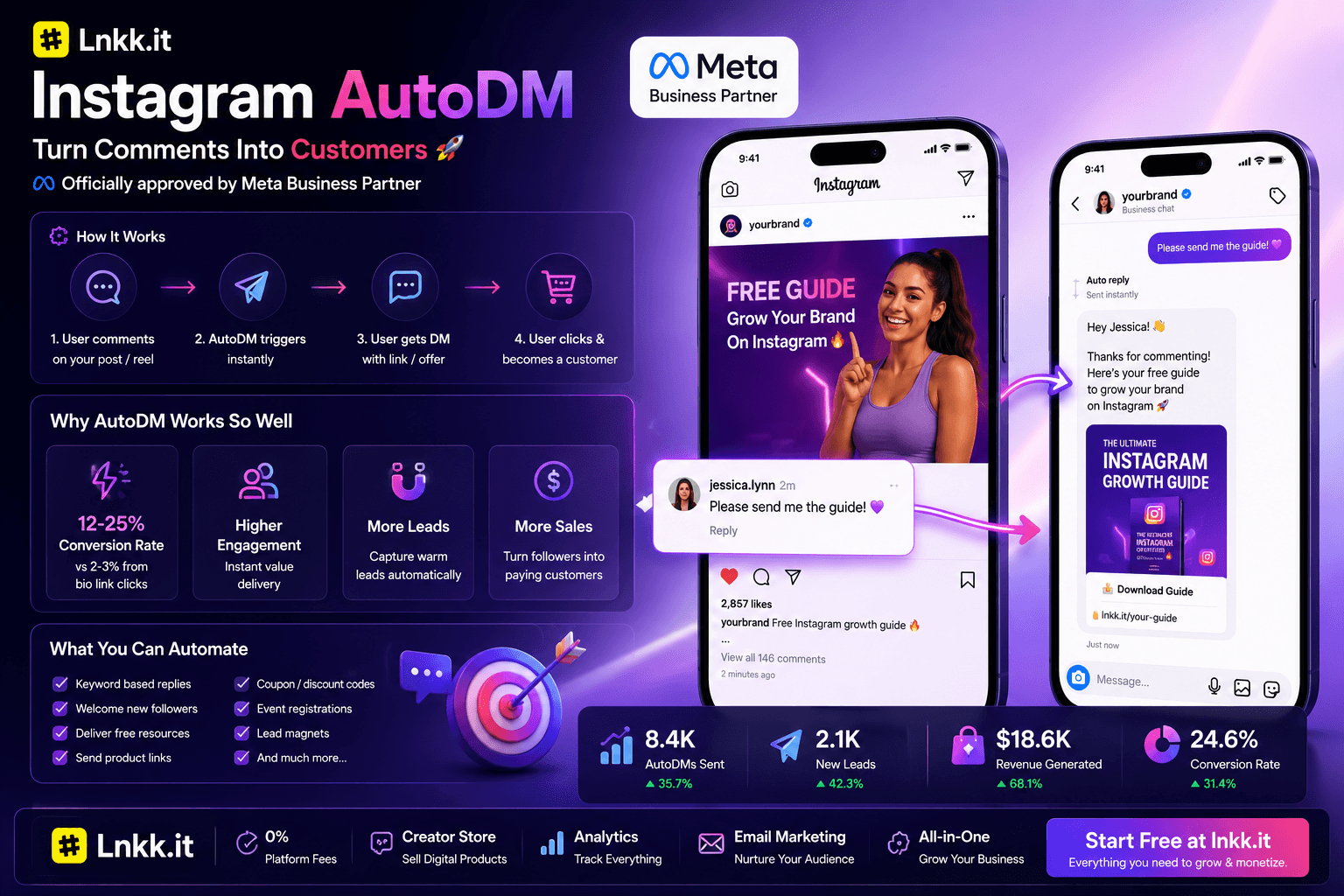
The Instagram auto-reply feature is available on no other bio link tool in this comparison. Officially approved by Meta as a Business Partner, it lets creators set up comment-to-DM automation on Reels — a follower comments a keyword, instantly receives a DM with a product link — converting at 12-25% versus 2-3% for standard bio link clicks. This turns every reel into an active funnel to the bio link page rather than a passive destination.
Best for: Creators who sell digital products, run Instagram Reels, or want to replace multiple paid tools (Linktree + Gumroad + Mailchimp + Calendly) with one free platform.
Honest limitations: Custom domain requires Pro ($9/month). Newer platform with less brand recognition than Linktree — some creators prefer the familiarity of linktr.ee/yourname for immediate audience trust.
2. Beacons — Best free plan for creator commerce (with caveats)
Free plan includes: Bio link page, digital product store, email capture, media kit, tip jar, basic analytics
Paid plan: Creator Pro at $10/month
Transaction fees: 9% on all transactions (including on paid plans)
Beacons has the most feature-rich free plan of any major link-in-bio tool. Media kit, email marketing, and advanced store features require the $30/month plan, but even the free tier includes more than Linktree's paid plans.
The critical caveat is the 9% transaction fee. Beacons charges 9% on every sale made through the platform — this applies even on paid tiers. For a creator doing $2,000/month in sales, that's $180 going to Beacons every month, on top of any subscription fee. The higher your revenue, the more expensive Beacons becomes relative to alternatives.
If you're early-stage and not yet selling, Beacons is a genuinely excellent free Linktree alternative. If you're selling consistently, the math works against you quickly.
Best for: Creators in the pre-revenue stage who want a polished free bio page with commerce built in. Creators at brand deals and media kit stage before they have consistent product sales.
Honest limitations: The 9% transaction fee compounds aggressively with sales volume. The interface is busier than Linktree — learning curve is higher for first-time users.
3. Lnk.bio — Best for creators who hate subscriptions
Free plan includes: Unlimited links, basic themes
Paid options: $9.99 one-time (Mini) or $24.99 one-time (Unique) — lifetime access, no monthly fee
Transaction fees: None
Lnk.bio is the independent link-in-bio with the same prices since 2016 — the second biggest in the world, used by 1,500,000+ creators across 215 countries. Pay once for lifetime access, or stay on the free plan with unlimited links.
The one-time payment model is genuinely unique in this space. While every other tool charges monthly, Lnk.bio's $24.99 Unique plan gives you lifetime access including custom domains, analytics, and full customization. Over two years, that's $0.83/month — significantly cheaper than any subscription alternative.
The free plan is more limited (basic themes, no custom domain, no analytics), but for creators who only need unlimited links and a clean page, it's the most straightforward free option.
Best for: Creators who want to eliminate subscription fatigue, or anyone doing a long-term cost calculation where one-time-payment wins over monthly fees.
Honest limitations: No native store, no email capture, no Instagram automation. Its is a clean link page, not a creator business platform. If you want to sell or automate, look elsewhere.
4. Bio.link — Best simple swap for Linktree's interface
Free plan includes: Unlimited links, minimal analytics, basic themes, no custom domain
Paid plan: Available but rarely discussed — most users stay on free
Transaction fees: None (no commerce features)
It is the fastest migration from Linktree — same concept, cleaner design, no watermark on the free plan. Bio.link is the most minimalist option and that's its entire appeal. Set up takes five minutes. No learning curve.
The limitation is the same as the appeal: it's minimal. No store, no email capture, no automation, limited analytics. If all you want is to replace Linktree's basic link page with something that looks slightly better and doesn't watermark you, Bio.link works. If you want to build a revenue engine from your bio link, it won't get you there.
Best for: Creators who just switched off Linktree and want the simplest possible replacement while they evaluate longer-term options.
Honest limitations: Essentially zero monetisation capability. No analytics depth. A stepping stone, not a destination.
5. Carrd — Best for design control on a budget
Free plan includes: Up to 3 sites, basic templates, responsive design — no analytics, no e-commerce
Paid plan: $19/year Pro (custom domain, full design freedom)
Transaction fees: None (no commerce features)
Carrd is a one-page website builder that many creators repurpose as a link-in-bio page. It offers great design freedom at an incredibly low price ($19/year for Pro).
At $19/year (~$1.58/month), Carrd's paid plan is the cheapest way to get a custom-domain bio page with full design control. For creators who care about aesthetic above all else and don't need commerce or automation, it's hard to beat on price.
The gap is clear: Carrd is a website builder that happens to work as a bio link page. It has no built-in analytics, no e-commerce, and no Instagram-specific features. You're trading functionality for design freedom.
Best for: Designers, photographers, visual creatives who want their bio page to look completely custom and don't need selling or automation features.
Honest limitations: Not purpose-built for link-in-bio. Adding a store requires external integration (Gumroad, Shopify). No analytics without third-party add-ons.
6. Milkshake — Best mobile-first free option
Free plan includes: Card-based pages, mobile editor, basic themes, unlimited cards
Paid plan: Available but not widely documented
Transaction fees: None (no commerce features)
Milkshake is a mobile-first link-in-bio app that lets you create "card-style" pages directly from your phone. It's great for creating Instagram-story-like bio pages. The entire editing experience happens on mobile, making it the fastest to set up if you manage everything from your phone.
The design output is noticeably more visual than Linktree — card-based layouts look like Stories rather than lists, which works well for visual creators on Instagram.
The hard limitation: mobile-only editing. If you need to manage your bio page from a desktop dashboard, Milkshake doesn't have one. No analytics, no commerce, no desktop access.
Best for: Mobile-only creators — typically Instagram-native users who do everything from their phone and want a visually engaging page without desktop setup.
Honest limitations: No desktop editor. Limited customisation, no analytics, no e-commerce. Setting up complex automations or stores requires a different tool.
7. Stan Store — Best for high-revenue digital product sellers (not free)
Free plan: None
Paid plans: Starts at $29/month
Transaction fees: None
Stan Store is included here because it appears in almost every "Linktree alternative" roundup — but it should be noted clearly: Stan Store is not free. It starts at $29/month with no free tier.
Stan Store's focus is digital product sales — courses, templates, coaching — with a polished storefront experience. Its conversion optimisation for product sales is genuinely better than most bio link tools.
But at $29/month versus Lnkk.it's free plan (which includes a native Creator Store with zero transaction fees), the comparison is difficult to justify unless you specifically need Stan Store's advanced course delivery features.
Best for: Established creators doing significant ($5,000+/month) digital product revenue who want maximum conversion optimisation and are comfortable paying $29/month for it.
Honest limitations: No free plan. Monthly cost is the highest in this comparison. Overkill for creators below $3,000/month in product revenue.
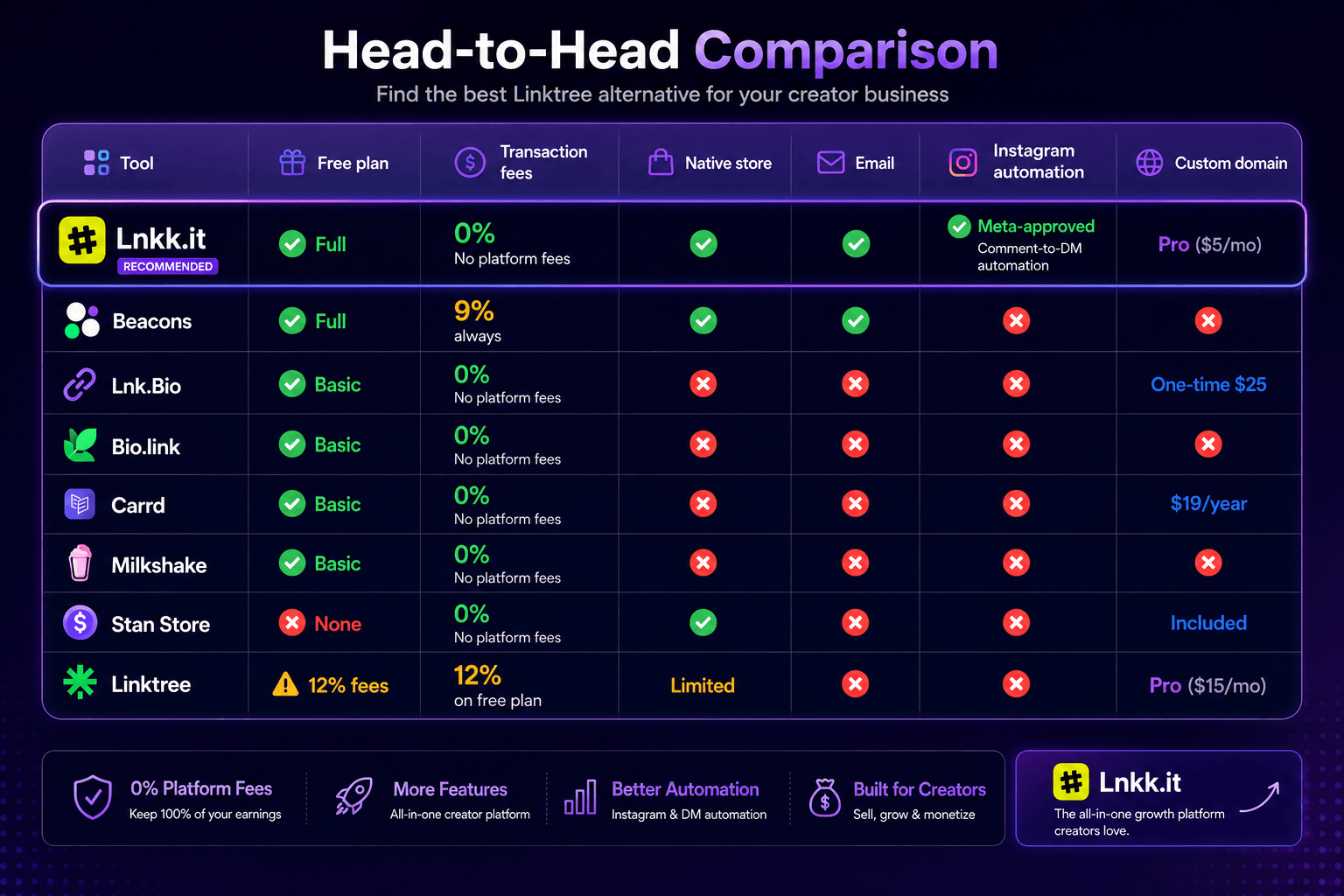
Head-to-head comparison table
How to choose: the decision tree
If you only need a clean list of links and nothing else: → Bio.link (simplest swap, no watermark) or Lnk.Bio (unlimited links, one-time payment option)
If you care about design above functionality: → Carrd ($19/year for full control) or Milkshake (mobile-first, visual layouts)
If you sell digital products and want zero transaction fees: → Lnkk.it (0% fees, native store on free plan) — Beacons charges 9% even on paid tiers
If you're early-stage and not selling yet: → Beacons (most feature-rich free plan before sales volume makes the 9% fee a real cost)
If you want to replace 4-5 separate tools with one free platform: → Lnkk.it (bio link + store + Instagram auto-DM + email + bookings on free plan)
If revenue is high ($5K+/month products) and you want maximum store optimisation: → Stan Store ($29/month) or Lnkk.it Pro ($9/month + 0% fees)
The migration: switching from Linktree in 15 minutes
If you're moving from Linktree to any of the alternatives above, the process is faster than most creators expect.
Step 1 — Export your Linktree links (2 minutes) Log into Linktree → Settings → Export. Download the CSV of all your existing links.
Step 2 — Set up your new page (5 minutes) Create an account on whichever tool you've chosen. Most have templates that replicate the Linktree layout. Upload your profile photo, add your bio, paste in your links.
Step 3 — Set up any additional features (5 minutes) If migrating to Lnkk.it: connect your Creator Store products, set up Instagram auto-reply, add your email capture form. This takes about 5 minutes with the guided setup.
Step 4 — Update your bio URL everywhere (3 minutes) Instagram bio, TikTok bio, YouTube about, Twitter/X bio, LinkedIn. Update each one with your new URL.
Step 5 — Redirect your old Linktree if possible If you were using a custom domain with Linktree, point it to your new page. If you were using linktr.ee/yourname directly, there's no redirect available — anyone visiting your old Linktree will see the outdated page until your audience updates.
Total time: 15-20 minutes. The friction of switching is genuinely low.
The real question to ask before choosing
Most "Linktree alternative" articles treat this as a feature comparison. It's really a business question.
Your bio link page is the single conversion point for your entire social media presence. Every follower who watches your content, every viewer who visits your profile — they all pass through this page.
The right question isn't "which tool has the most features?" It's "which tool converts my audience most effectively into the outcome I actually want?"
If the outcome is email subscribers: you need email capture, ideally with a lead magnet. Most free tools don't have this.
If the outcome is product sales: you need a native store with zero transaction fees. Linktree charges 12% on the free plan. Beacons charges 9% on all plans. Two tools in this comparison charge zero.
If the outcome is follower growth: you need Instagram automation that turns every reel into a follow funnel. One tool in this comparison has this built in.
Choosing based on which is most similar to Linktree — the most common migration decision — is the equivalent of replacing one sticky note with a slightly nicer sticky note.
The creators who actually grow from their bio link page treat it as infrastructure, not decoration.
Lnkk.it is an officially approved Meta Business Partner used by 10,000+ creators as their bio link, Creator Store, Instagram automation, email marketing, and booking platform. Free plan available at lnkk.it →. No credit card required.
FAQ
What is the best free Linktree alternative in 2026? For creators who sell products or use Instagram automation, Lnkk is the strongest free Linktree alternative — it includes a native Creator Store with zero transaction fees, Instagram auto-reply, email marketing, and bookings, all on the free plan. For creators who only need a simple link page, Biolink or Lnkbio are the simplest switches.
Is there a completely free Linktree alternative? Yes. Lnkk, Beacons, Bio.link, Lnk.bio, Carrd, and Milkshake all offer free plans. The key distinction is what "free" means for each — Linktree's free plan charges 12% transaction fees on sales, making it expensive for sellers despite having no monthly subscription cost.
Why is Linktree charging transaction fees? Linktree introduced transaction fees on its free plan's commerce features. The 12% fee applies to any product sold through a Linktree page on the free tier. This effectively means the free plan is subsidised by creators who sell, rather than by advertising.
What is the easiest Linktree alternative to switch to? Biolink is the closest 1:1 replacement — same concept, similar interface, no watermark on free plan. Migration takes under 10 minutes. If you want more features than Linktree, Lnkk.it's setup takes about 15 minutes and adds a Creator Store, email capture, and Instagram automation.
Does Beacons charge transaction fees? Yes. Beacons charges 9% transaction fees on all sales, including on paid plans. This is lower than Linktree's 12% on the free plan but applies regardless of which Beacons plan you're on. Lnkk.it charges 0% platform transaction fees.
Can I keep my Linktree URL when switching? No. linktr.ee/yourname is hosted on Linktree's domain and can't be transferred. You'll need to update your Instagram bio and other profiles with your new URL. If you had a custom domain pointed at Linktree, you can redirect it to your new page. The update takes about 3 minutes across your main social profiles.
YOU MAY ALSO LIKE

Lnkk.it vs. Beacons (2026): Full Comparison — Which One Actually Pays Off?
Lnkk.it vs Beacons compared on fees, Instagram automation, creator stores, and media kits — an honest, feature-by-feature 2026 breakdown.
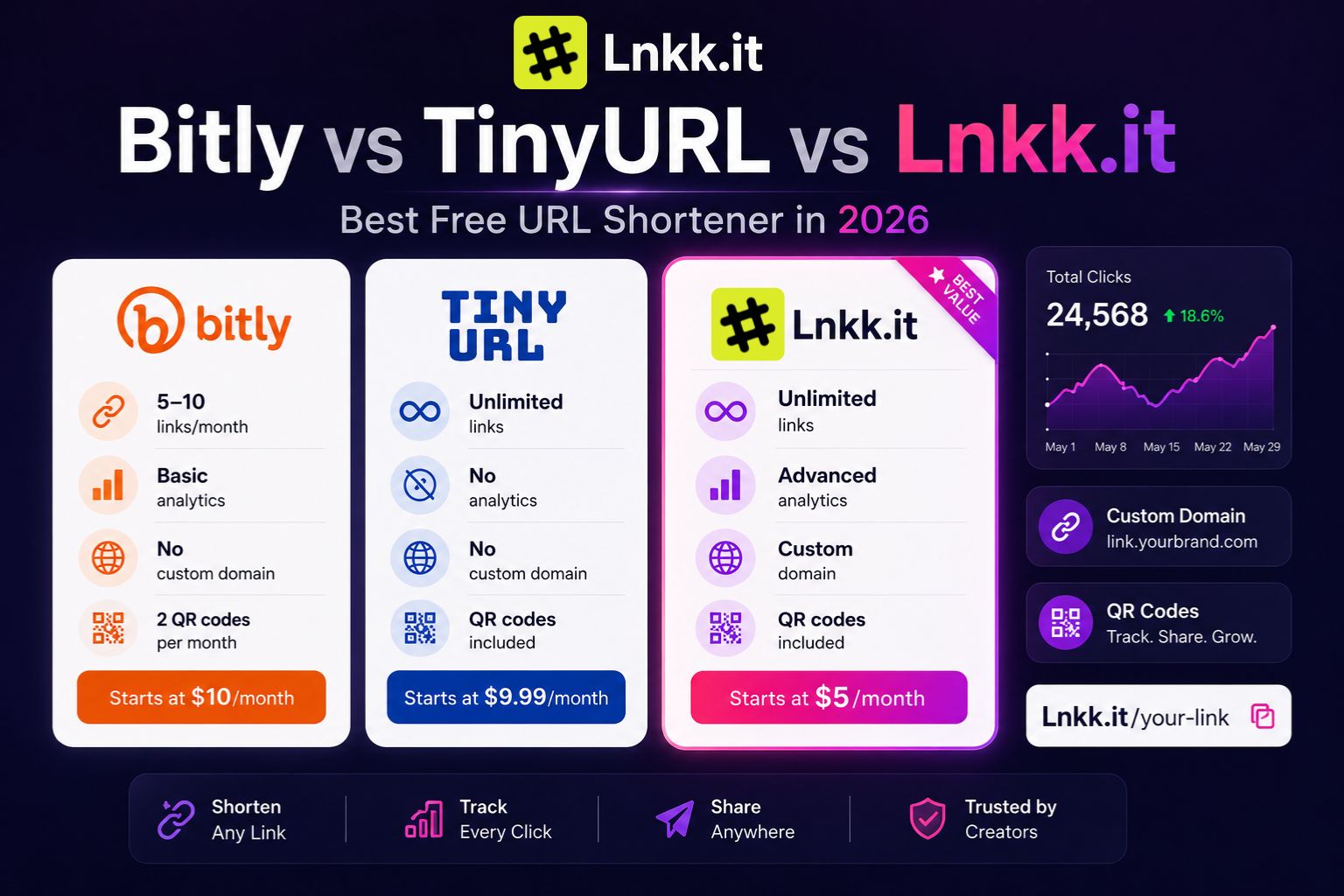
Best Free URL Shortener in 2026: Bitly vs TinyURL vs Lnkk.it (Honest Comparison)

Lnkk.it vs Bitly vs Linktree: Which Link Tool Actually Fits What You're Doing?
An honest comparison of Lnkk.it, Bitly, and Linktree — what each tool actually does, where they fall short, and which one fits link shortening, bio pages, and conversion tracking.