Your Instagram Inbox Has a Spam Vault Now: Inside Lnkk.it's AI Inbox

Instagram's DM inbox was built for one thing: casual conversation. It was never built to be a place where you run a business — which is exactly what it becomes the moment your account starts getting brand outreach, fan messages, spam, and the occasional explicit DM, all dumped into the exact same unsorted list.
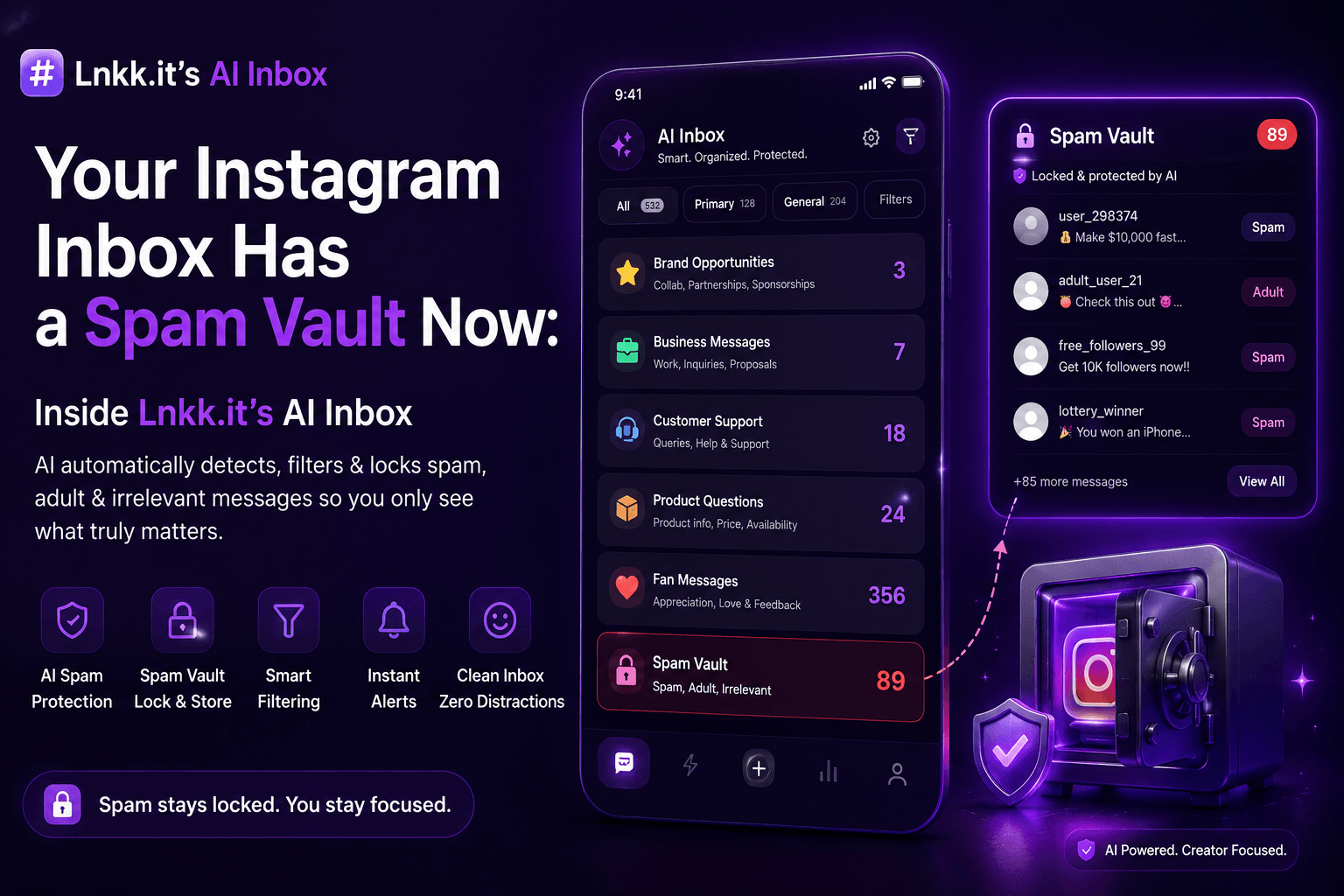
Lnkk.it's AI Inbox is built specifically to fix that — not as a vague promise, but as a working dashboard with eight distinct sections: Overview, Inbox, Opportunities, Pipeline, Analytics, Spam, Adult, and Settings.
What "AI Inbox Scan Active" Actually Means
The overview dashboard runs a live status indicator — "AI Inbox Scan Active" — confirming that new DMs are actively being processed and classified in real time, with spam and explicit content automatically isolated before they ever reach your primary inbox. The overview breaks incoming messages into clear categories: Brand Opportunities, Business Messages, Fan Messages, Deals in Motion, Deals Won, Spam Vault, and Adult Vault — each with its own live count.
That categorization isn't cosmetic. It's the difference between opening your inbox to a wall of undifferentiated messages and opening it to a dashboard that's already told you what actually needs your attention today.
The Two Vaults: How Filtering Actually Works
Two separate vaults handle the content you don't want cluttering your main inbox:
Spam Vault — messages flagged as spam get isolated here with a clear "Spam" tag. From the vault you can Restore a message, Mark Safe & Restore (which both restores it and tells the system it was misclassified), Block & Report the sender, Delete individual messages, or Purge All.
Adult Vault — explicit or NSFW content gets isolated separately, with the message content blurred by default. Nothing graphic loads onto your screen automatically — you have to actively tap Reveal to see what was flagged, and the same Restore / Block & Report / Delete / Purge All controls apply here too.
Both vaults exist specifically so this content never shows up in your day-to-day inbox view, while still giving you full control to review, restore, or act on anything that got caught.
Five 1-Click AI Replies, Built From the Actual Conversation
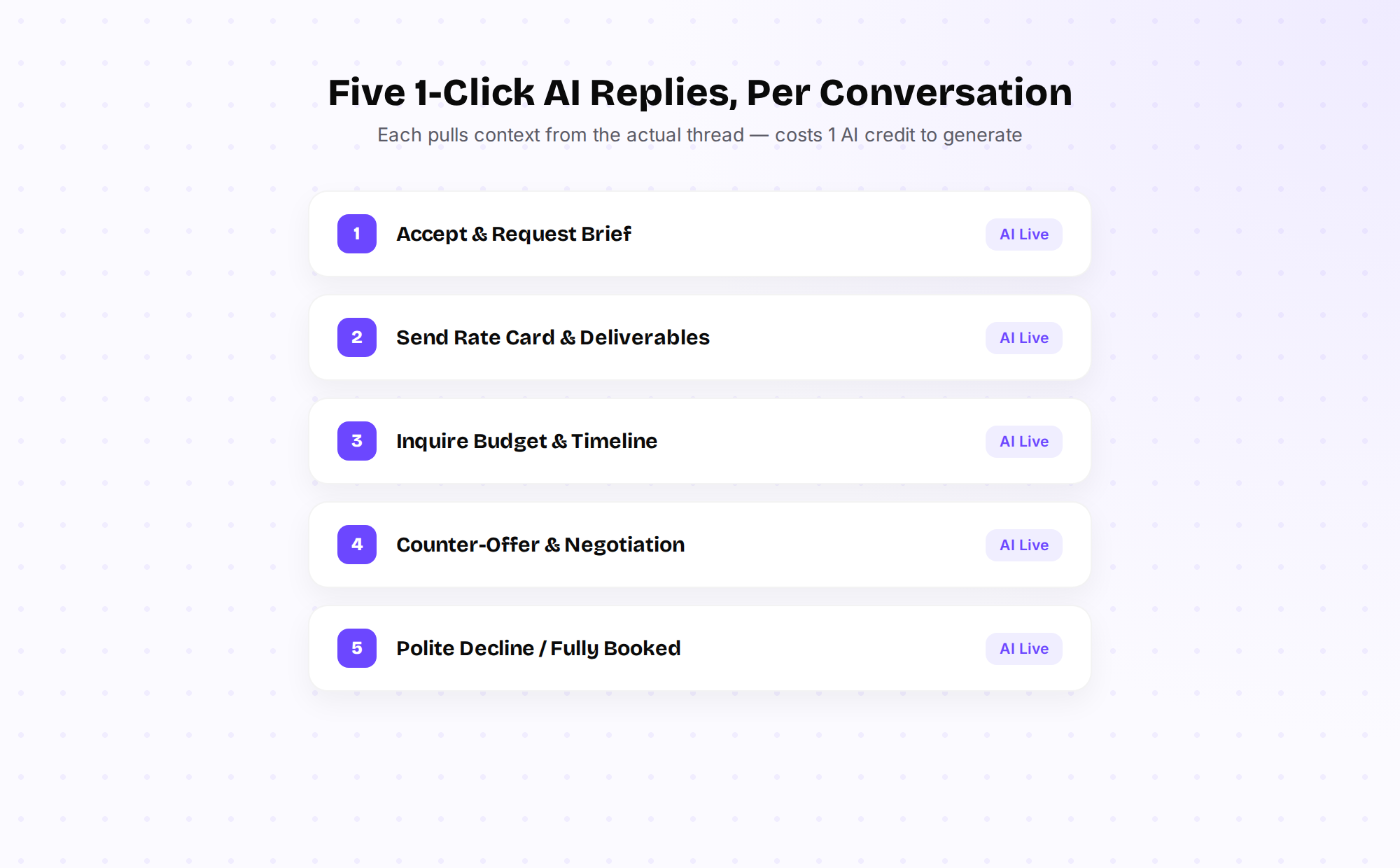
Open any conversation tagged as a business inquiry, and the AI Assistant Insights panel on the right shows a short AI-generated summary of what the sender actually wants, plus five ready-to-send reply options, each costing 1 AI credit to generate:
Accept & Request Brief — for when you're ready to move forward and need campaign details
Send Rate Card & Deliverables — for pointing a brand toward your pricing without writing it out again
Inquire Budget & Timeline — for when the DM is vague and you need specifics before committing
Counter-Offer & Negotiation — for pushing back on a number that's too low
Polite Decline / Fully Booked — for turning something down without it reading as dismissive
Each reply is generated from that specific thread, not a generic template — the AI has already read the conversation and drafts a response that matches what was actually said.
The Credit System Has an Important Detail Worth Knowing
AI Inbox runs on a shared monthly credit pool (500 AI credits, used across every AI feature on the account). What's worth knowing specifically: the rule-based filtering — spam detection, adult content isolation — keeps running even if your AI credits run out. Only the generative features (AI summaries, 1-click replies) pause once credits are exhausted. Your inbox doesn't suddenly become unfiltered just because you used up your monthly AI quota.
Setting Up Your Filtering Rules
The Settings tab gives granular control over exactly how aggressive the filtering should be:
AI Inbox Enabled — the master switch; turning it off stops new DM processing entirely (your regular Instagram Automation auto-replies keep working independently either way)
Hide Adult Messages / Blur Sensitive Content — controls for how explicit content is isolated and displayed
Auto-block Repeat Harassers — automatically blocks senders who repeatedly send explicit content
Auto-hide Spam / Block Known Scam Accounts — the core spam-filtering toggles
Notify Only Business Messages / Notify Only Collaborations — lets you silence notification noise from fan messages entirely, so your phone only buzzes for things that actually need a business decision
FAQ
Does AI Inbox need my Instagram password? No — it connects through Meta's official API, the same access method Instagram approves for business tools, not a password-based workaround.
What happens to messages in the Adult Vault — are they deleted automatically? No, they're isolated and blurred, not deleted, until you choose to Restore, Block & Report, Delete, or Purge them yourself.
Does turning off AI Inbox affect my other automations? No — the Settings panel explicitly notes that disabling AI Inbox's master switch does not affect Auto Reply, which runs independently.
What happens if I run out of AI credits mid-month? The generative features (summaries, 1-click replies) pause, but rule-based spam and adult-content filtering continues running at no cost.
Ready to stop scrolling past brand deals buried in spam? Explore AI Inbox — connect your account and let it start classifying incoming DMs immediately.
Once a deal actually starts moving, see how the Pipeline and Analytics side of AI Inbox tracks it — full breakdown in the next post.
YOU MAY ALSO LIKE
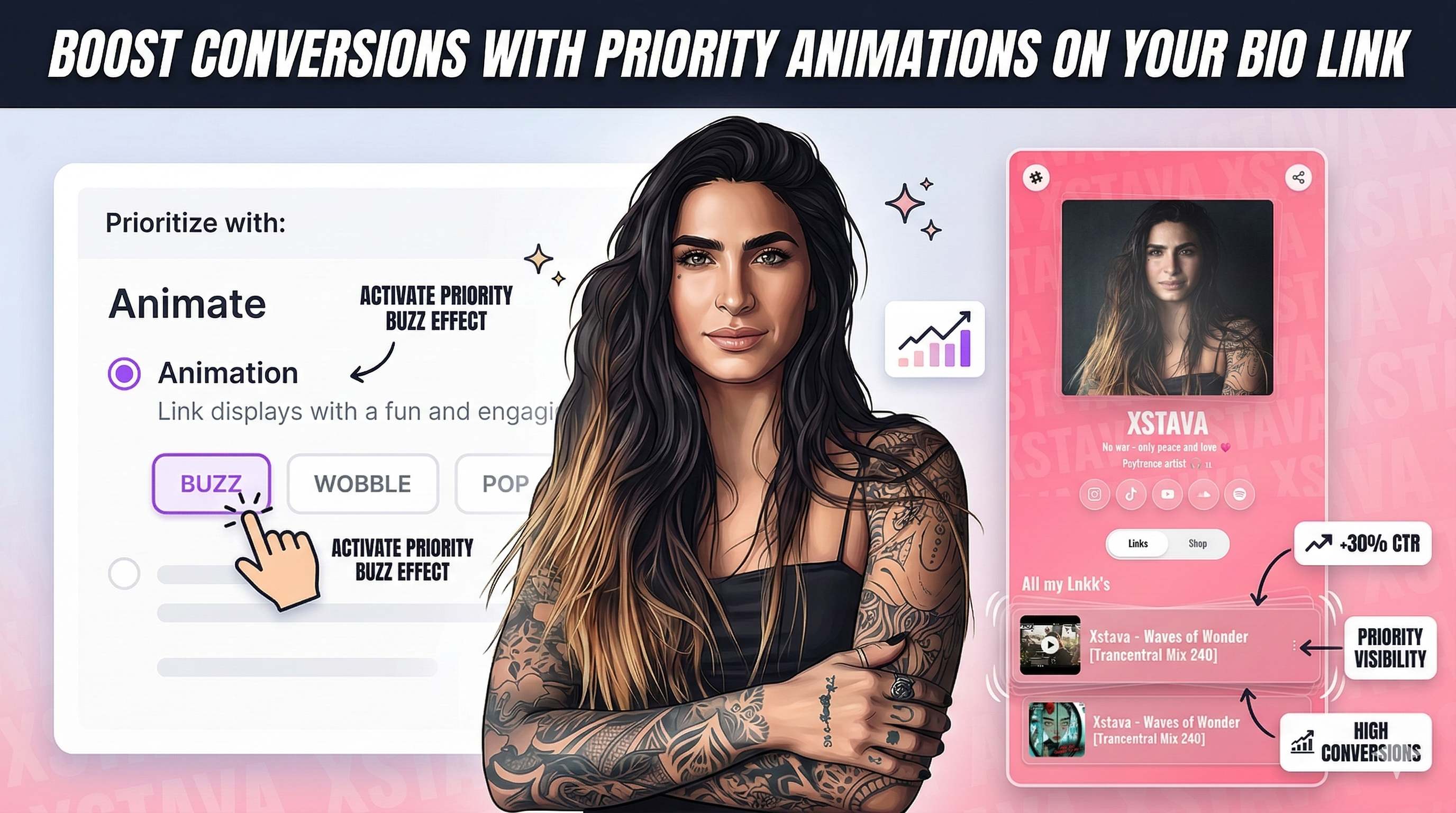
Boost Conversions with Priority Animations on Your Bio Link
Learn how to use Lnkk.it's new Priority Animations to highlight your most important link, product, or booking. Guide your visitors and skyrocket your click-through rates.
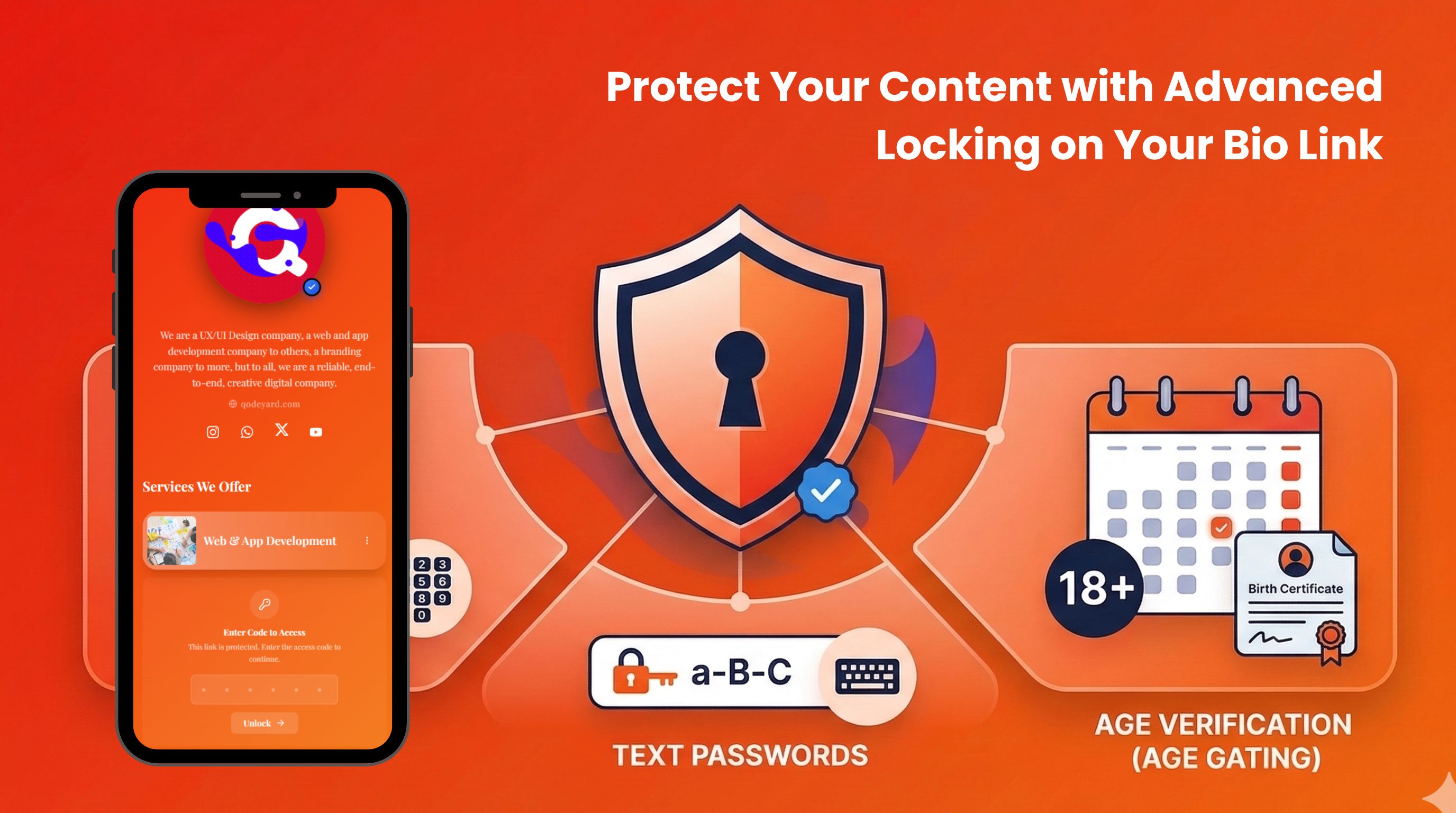
Protect Your Content with Advanced Locking on Your Bio Link
Lock any link, shop product, collaboration, event, or booking behind a code, password, date-of-birth gate, or sensitive content warning. Control exactly who sees what on your Lnkk.it page.
One Link, Every Platform: How Musicians Stop Choosing Between Spotify and Everyone Else
Paste one track link and let fans choose Spotify, Apple Music, TIDAL, or Pandora. Here's how musicians use Lnkk.it to stop picking one platform.