Instagram Comment to DM Automation: The Complete Guide for Creators (2026)

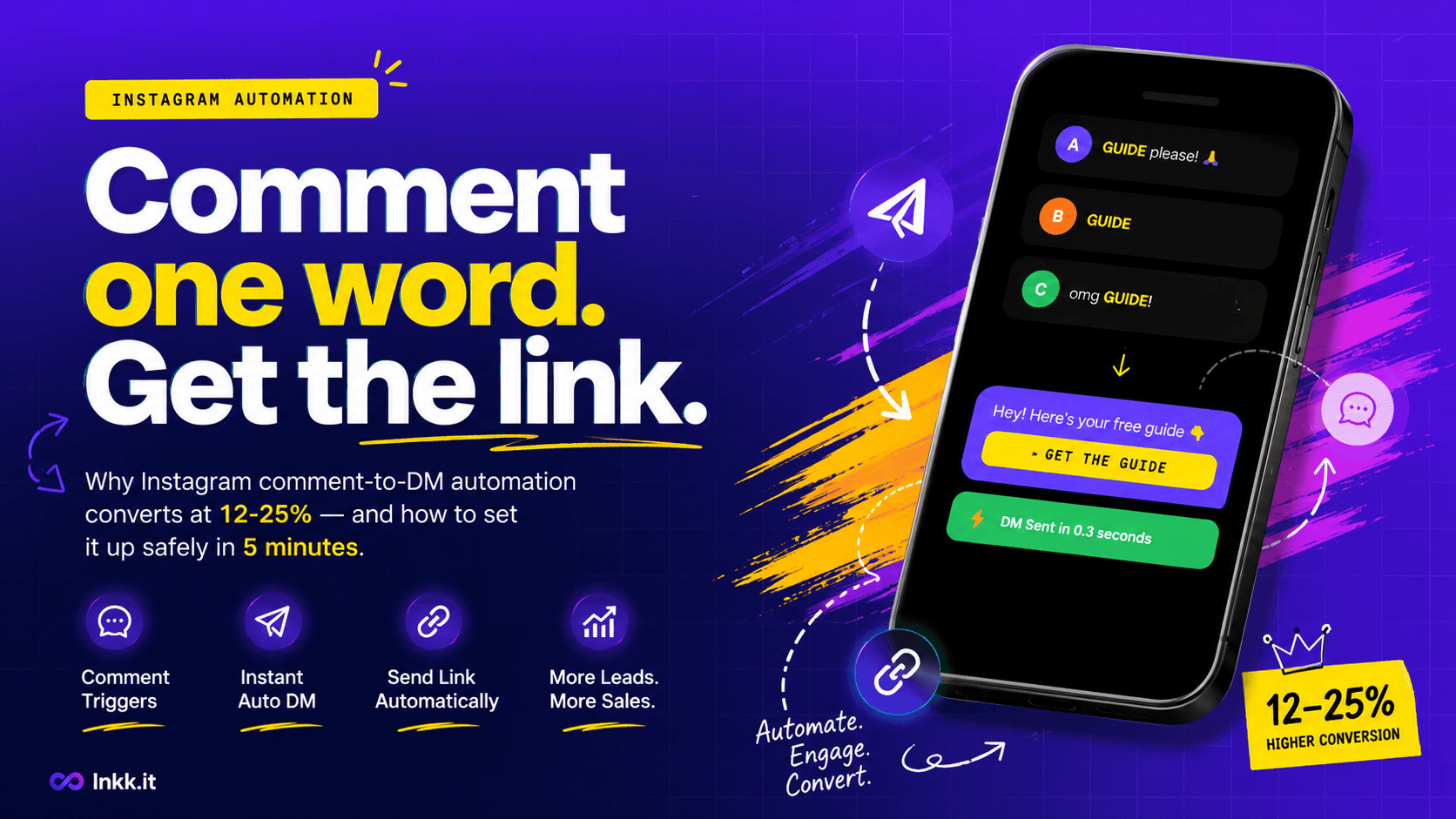
If you've posted a reel in the last six months with "link in bio" in the caption, you already know the problem.
A hundred people comment "where's the link?" You manually reply to each one. By the time they click through to your bio, navigate to your Linktree, find the right link, and land on the destination — most of them are gone.
Instagram comment to DM automation fixes this. Instead of "link in bio," you say "comment LINK and I'll send it directly." Your follower comments one word. They instantly get a DM with exactly what they asked for.
The conversion difference isn't marginal. Comment-to-DM automation consistently converts at 12-25% versus 2-3% for bio link clicks. That's the same reel, the same audience, and 6-8× the results.
This guide covers everything you need to know to set it up correctly in 2026 — including the one thing most tutorials leave out that's silently getting Instagram accounts suspended.
What Is Instagram Comment to DM Automation?
Instagram comment to DM automation is a system that watches your posts for specific keywords in comments, then automatically sends a direct message to everyone who comments that word.
Here's how it works in practice:
You post a Reel or feed post and include a CTA like: "Comment GUIDE and I'll DM you the free template"
A follower sees your post and comments "GUIDE"
The automation detects the keyword in real time
The follower receives an instant DM — from your account — containing whatever you configured: a link, a freebie, a coupon code, anything
Your follower never leaves Instagram to get what they wanted
The entire flow happens in seconds. You do nothing after setting it up. It runs 24/7, even when you're sleeping, creating content, or on vacation.
Why This Works So Much Better Than "Link in Bio"
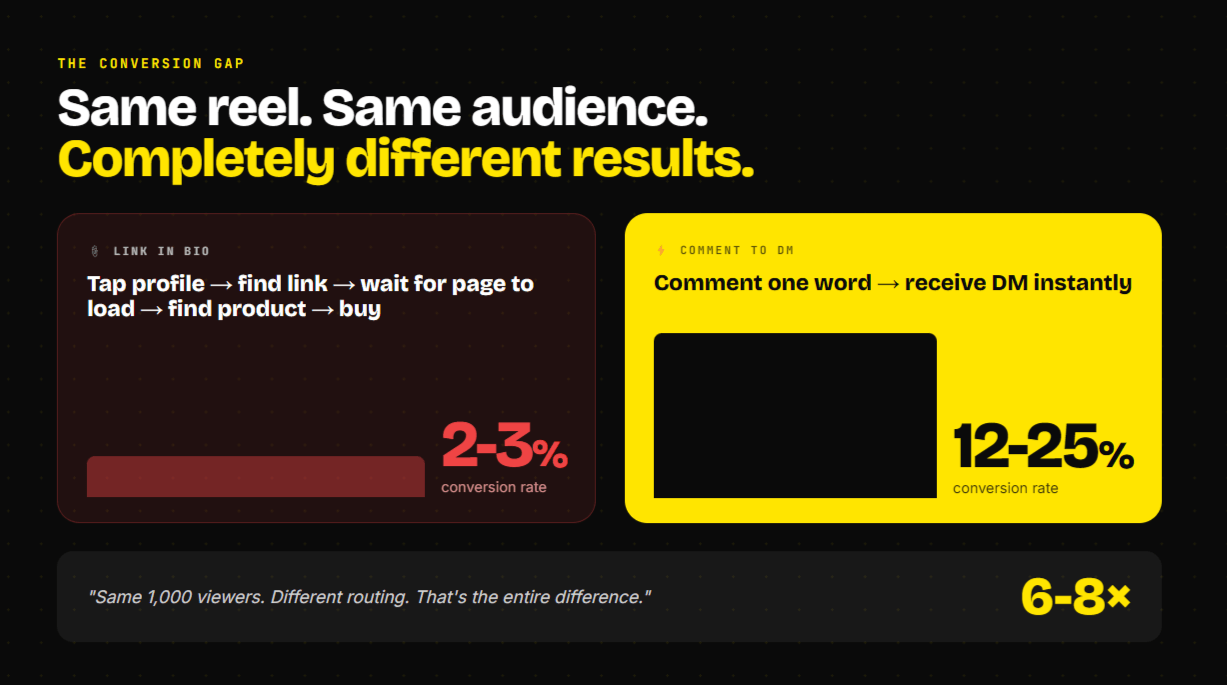
The reason comment-to-DM automation outperforms "link in bio" comes down to a simple concept: friction.
When you say "link in bio," here's what your follower actually has to do:
Stop watching the reel
Tap your profile
Find your bio
Tap the bio link
Load an external page (usually Linktree)
Scan the list for the right link
Tap it
Wait for another page to load
Find the actual item they wanted
Take action
That's 9+ steps. At each step, 15-30% of interested viewers drop off. By the time someone arrives at your actual destination from a "link in bio" flow, you've lost most of the people who were genuinely interested when they watched your reel.
Comment-to-DM cuts this down to 2 steps: comment one word, receive a DM. The link arrives inside Instagram itself, in their inbox, while they're still actively engaged.
Industry data consistently shows bio link CTR at 2-3%. Comment-to-DM conversion runs at 12-25% for the same content and audience. The difference isn't your content quality or your follower count — it's the infrastructure you're routing your audience through.
The Safety Issue Nobody Talks About (Read This First)
Before you set up any Instagram automation, there's one critical thing to understand.
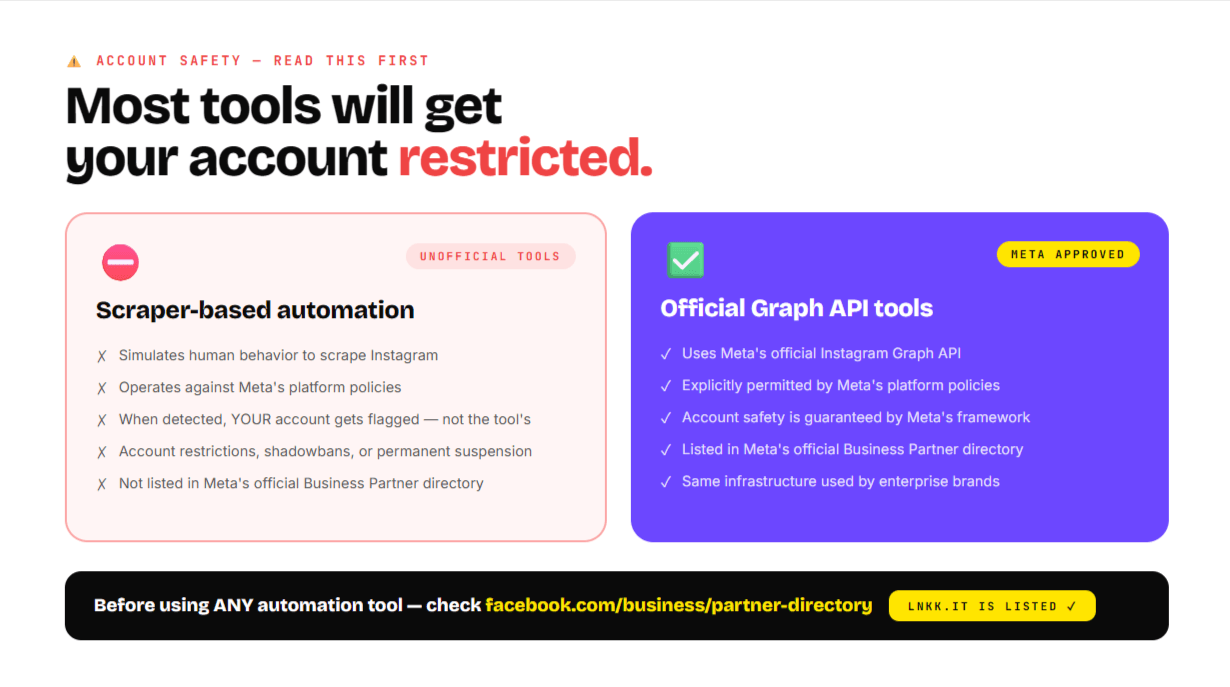
Most automation tools work by simulating a human using Instagram — essentially a bot that logs in as you, reads comments, and sends replies. Instagram actively detects this. When they catch it, the account that gets suspended or restricted is yours — not the tool's.
Meta's official solution is their Instagram Graph API, which allows approved third-party developers to interact with Instagram in a way that's explicitly sanctioned by Meta. Tools built on the official API don't scrape, don't simulate human behavior, and don't put your account at risk.
The difference between official and unofficial is invisible in the tool's interface. Both do the same thing — detect keywords, send DMs. But one is operating inside Instagram's policy framework, and one is operating against it.
Before you use any Instagram automation tool, ask one question: is it an officially approved Meta Business Partner?
Meta maintains a public partner directory at facebook.com/business/partner-directory. If your tool isn't on that list, it's not operating through official channels, and your account is at risk regardless of how reputable the tool seems.
Lnkk.it is an officially approved Meta Business Partner. All Instagram automation on our platform runs through Meta's official Graph API.
Setting Up Instagram Comment to DM Automation: Step by Step
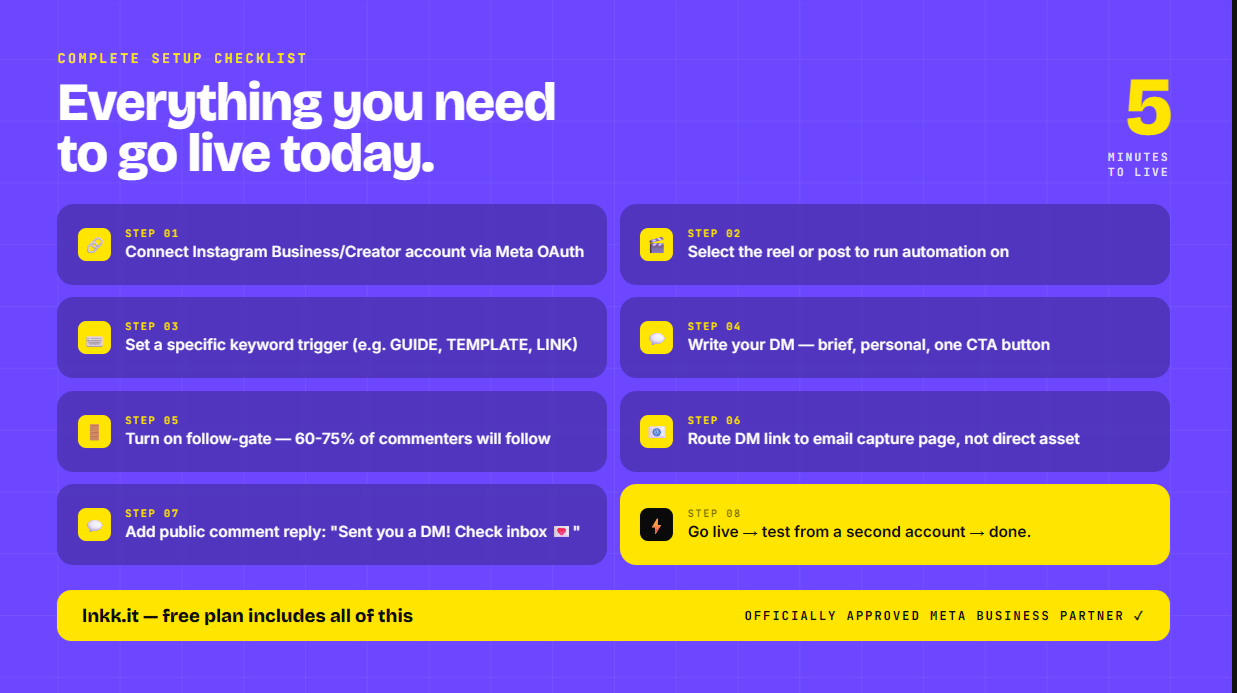
Setting this up properly takes about 5 minutes. Here's the full flow.
Step 1: Connect your Instagram account
Your Instagram must be a Business or Creator account — personal accounts cannot access the API. If yours is still a personal account, go to Instagram Settings → Account → Switch to Professional Account.
Once you've switched, connect your Instagram to Lnkk through the official Meta OAuth flow. This takes about 30 seconds and doesn't require entering your Instagram password into any third-party site.
Step 2: Pick the post you want to activate automation on
You can run automation on any existing post, reel, or story. Navigate to the Instagram Auto-Reply section in your Lnkk dashboard and select the post.
You don't need to create a new post. If you have a reel that's already getting views — even one from months ago — you can activate automation on it right now and start capturing engagement you've been leaving on the table.
Step 3: Set your trigger keyword
Choose a word that makes sense for your content. Some guidelines:
Specific is better than generic. "GUIDE" works for an educational reel. "TEMPLATE" works for a design resource. "PRICE" works for a product inquiry. Generic words like "yes" or "info" trigger on unrelated comments and flood people who weren't intentionally engaging.
All-caps reads clearly in a caption CTA. "Comment GUIDE" is cleaner than "comment guide."
Keep it one word. Multi-word phrases are harder for followers to type correctly.
Step 4: Write the DM that fires automatically
Keep it short, personal, and with a single clear action:
"Hey [first name]! Here's the [thing they asked for] 👇" [button linking to your page/product/resource]
Don't write a paragraph. Don't include three different links. One DM, one link, one action.
The DM should feel like you typed it personally — because that's what your follower will think happened, and that's what creates the conversion.
Step 5: Turn on the follow-gate (this is the part most people skip)
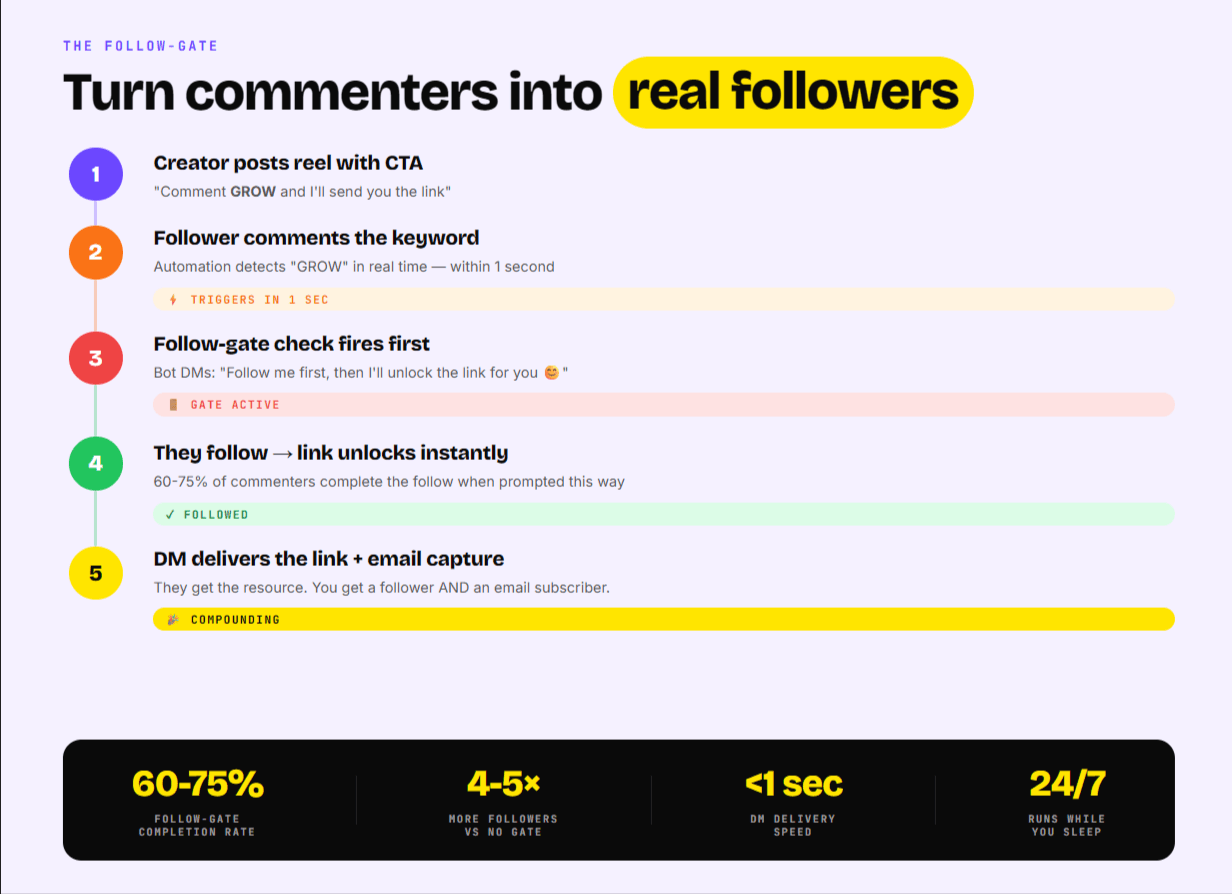
A follow-gate is an additional step in the automation flow that checks whether the commenter follows you before sending the DM.
If they don't follow you, the bot sends a different message first:
"Hey! Follow me first and I'll send you the link 😊"
Once they follow, the link unlocks automatically.
Data on follow-gate conversion: 60-75% of commenters complete the follow when prompted this way. Without a follow-gate, you give away your content to everyone who comments — including people who will never follow you, never buy from you, and never engage with your account again.
With a follow-gate, the same viral reel that drives 500 comments generates 300-400 new followers instead of 50-100.
Step 6: Add a public comment reply
Configure your automation to also reply publicly to each comment — something like "Sent you a DM! Check your inbox 💌"
Two reasons this matters:
First, it tells the commenter that something happened so they know to check their DMs. Without this, they might think the automation didn't work.
Second, the public reply counts as engagement on the post. More replies signal to Instagram's algorithm that the post is generating genuine conversation — which pushes it to more people. The automation directly improves your post's organic reach.
Step 7: Go live
Toggle the automation on and the system starts watching for comments immediately. You don't need to do anything else.
Test it yourself by commenting the keyword from a secondary account. If the DM fires correctly, you're live.
What to Send in the DM
The automation is only as good as what you're delivering. Here's what works by use case.
For free resources (templates, guides, checklists): Don't send the asset directly in the DM. Send a landing page that captures their email before delivering the file.
This way, the follower gets their free resource AND you add them to your email list. Your email list is the only audience asset that Instagram can't take from you if your account gets restricted, shadow banned, or the algorithm changes.
For product sales: Send them directly to the product page in your Creator Store. Native checkout converts significantly better than routing to an external platform.
For coaching or services: Send them to a booking link that lets them schedule directly. "Comment BOOK and I'll DM you my calendar link" is one of the highest-converting CTAs for service creators.
For content: Send them the link to the piece of content — YouTube video, blog post, podcast episode. Direct delivery via DM converts at 8-12× higher than "link in bio" for content distribution.
The Follow-Up Email: The Step 95% of Creators Skip
If you're capturing emails through your DM flow, send a follow-up email within 24 hours.
Keep it human, keep it short, and reference the specific reel they came from:
"Hey! Just wanted to follow up on the [template/guide/resource] you grabbed from my reel about [topic].
If you have any questions about using it, just reply to this email — I read everything.
Also — if you want more [type of content], I post [frequency] on Instagram [@handle].
Talk soon."
That's it. This single email turns 30-40% of cold new subscribers into people who will actively open your next email, buy your next product, and engage with your next post.
Most creators capture the email and then never send anything. The follow-up is where the relationship actually starts.
Common Mistakes to Avoid
Using a keyword that's too generic. If your keyword is "link" and someone comments "the link doesn't work," they get a DM. If someone comments "great work, drop the link," they get a DM. Specificity prevents unintended triggers.
Sending the asset directly instead of to a landing page. Direct asset delivery means no email capture. If someone downloads your free guide through a DM link but never gives you their email, you have no way to reach them again. Always route through an email capture first.
Not turning on the follow-gate. The follow-gate is the single most impactful feature in comment-to-DM automation. Skipping it means giving away your value to people who'll never become real followers. Turn it on for every automation.
Using a non-Meta-approved tool. Covered above. Check the partner directory. Your account is worth more than saving $10/month on a cheaper tool.
Setting it up on one post and ignoring it forever. The creators getting the most out of automation set up a new keyword trigger for every reel that has a CTA. Each automation compounds. A creator with 20 active automations across 20 posts is capturing leads 24/7 from their entire back catalog of content.
How This Fits Into Your Broader Creator Stack
Comment-to-DM automation is most powerful when it's connected to your other creator tools — not running in isolation.
The full compounding stack looks like this:
Instagram Reel with comment CTA drives traffic
Comment-to-DM automation captures every commenter instantly
Follow-gate converts commenters into followers
DM delivers link to landing page or product
Landing page captures email before delivering value
Email list becomes your owned audience for future launches
Creator Store handles product sales natively, no transaction fees
Bookings let followers schedule calls directly from your profile
When all of these work together inside one platform, each piece makes the others more effective. When they're spread across 5 different tools, you lose data, lose followers between steps, and pay tool fees on every transaction.
This is why Lnkk.it builds all of these features into one creator profile — not as separate products duct-taped together, but as a connected system where the DM feeds the email list, the email list drives the store, and the store analytics inform which content to create next.
Conclusion
Instagram comment to DM automation is the most underutilized growth tool in the creator economy in 2026.
The math is straightforward: if you're getting 500 comments on a viral reel and converting them at 2-3% through a bio link, you're getting 10-15 actions. The same reel with comment-to-DM automation running converts at 12-25%, giving you 60-125 actions. Same content, same audience, no extra work.
The only decisions that matter are: what keyword to use, whether to turn on the follow-gate (yes, always), and whether to capture email before delivering value (yes, always).
And before anything else — make sure the tool you're using is operating on Meta's official Graph API. Your account's history is worth protecting.
Want to try Instagram comment-to-DM automation for free?
Lnkk.it's free plan includes the full Instagram auto-reply system, follow-gate, email capture, bio link, Creator Store, and bookings — all in one platform. No credit card required.
FAQ
Is Instagram comment to DM automation allowed by Instagram?
Yes — when done through Meta's official Instagram Graph API. Tools operating through the official API are explicitly permitted by Meta's platform policies. Tools that scrape or simulate human behavior are not permitted and put your account at risk. Always verify that your tool is an officially approved Meta Business Partner before use.
How long does it take to set up?
The initial setup — connecting your Instagram, choosing a post, setting a keyword, writing the DM — takes about 4-5 minutes. Each subsequent automation on a new post takes under 2 minutes once you're familiar with the interface.
Does comment-to-DM automation work on old posts?
Yes. You can activate automation on any existing post in your Instagram account, not just new ones. If you have a reel from 6 months ago that still gets occasional views, you can turn on automation today and start capturing that engagement.
What happens if someone comments the keyword multiple times?
Most tools — including Lnkk.it — are configured to send the DM only once per user per automation, regardless of how many times they comment. This prevents spam and protects your engagement rates.
Can I run multiple automations at the same time?
Yes. You can run different keyword automations across different posts simultaneously. A creator with 20 active reels can have 20 separate automations running at once, each delivering different content to commenters.
Does it work on Stories?
Instagram auto-reply is also available for Story replies and mentions, depending on the tool and your account type. Comment-to-DM from feed posts and Reels is the most commonly used format.
YOU MAY ALSO LIKE
The Comprehensive Guide to Custom Domains & Advanced Link Analytics
Stop sharing generic links. Learn step-by-step how to set up your own custom branded domain and interpret advanced analytics to double your marketing ROI.
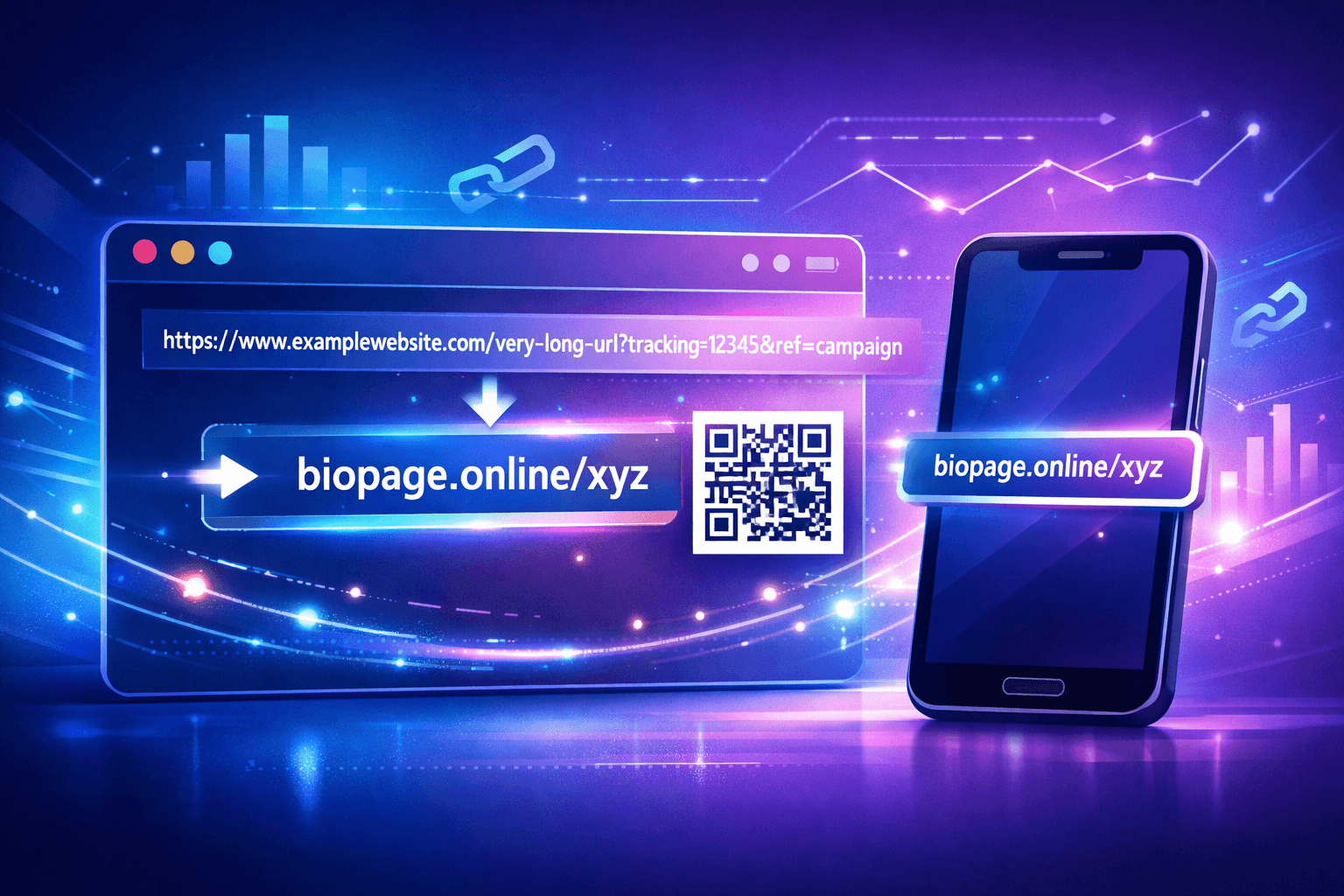
Mastering Your Links: The Ultimate Guide to Lnkk.it's Link Shortener
Unlock the full potential of your URL strategy. Learn why branded links get 39% more clicks, how to use QR codes for offline growth, and why Lnkk.it is the best free link shortener for 2024.